Less to scan
The working area is one branch rather than the whole outline, so nothing unrelated competes for your attention.
 TreetorView pricing
Focused tree editor
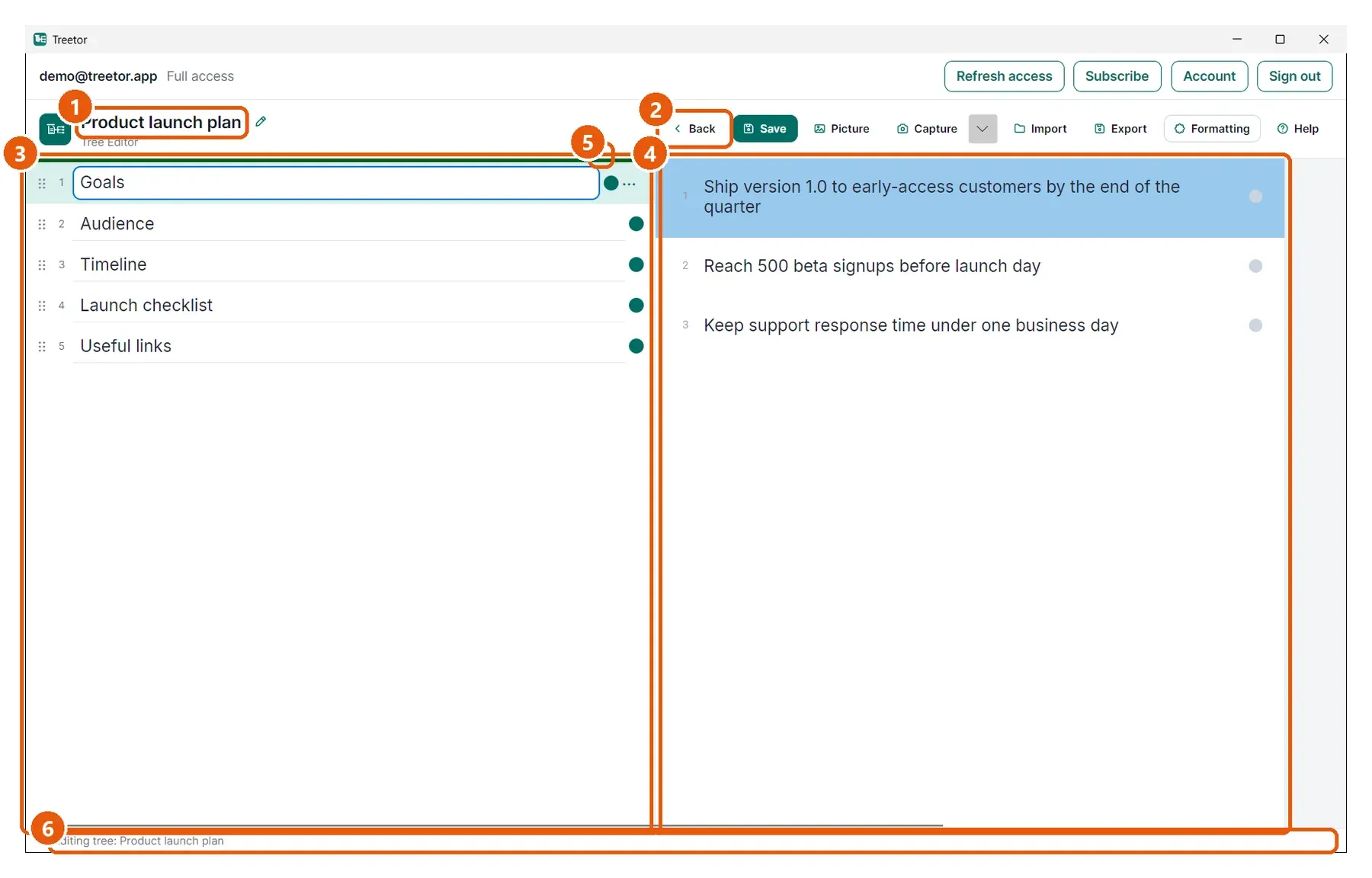
Once an outline grows past a screenful, most editors ask you to scan, scroll, and collapse. Treetor narrows the working area to the branch you chose, and lets you reshape it from the keyboard while you are still thinking.
Built for people searching for focused tree editor, distraction-free outliner, manage deep outlines, keyboard-first tree editor, alternative to expanding tree views, and better ways to organize complex ideas.
Why it works
The working area is one branch rather than the whole outline, so nothing unrelated competes for your attention.
Depth appears as you move into it. There are no disclosure triangles to open and close as the tree grows.
Move, indent, outdent, duplicate, and merge items from the keyboard without breaking your concentration.
Structured knowledge
A hierarchy displayed as one continuously expanding document works well while it is small. As it grows, the same interface produces visual overload, constant expanding and collapsing, long scrolling, and difficulty recognizing where you currently are. The structure is still there, but it competes with the work you are trying to do.
Thinking is rarely finished when it is first captured. Ideas change order, move between parents, and gain children. Treetor treats restructuring as normal: create the next item, move it up or down, indent it under the item above, or outdent it back toward the parent level, all without reaching for the mouse.
Where Treetor fits
| Compared with | What Treetor gives you |
|---|---|
| Continuously expanding outlines | Depth is revealed one connected level at a time. |
| Long scroll and heavy filtering | The active column holds one parent's children and nothing else. |
| Mouse-driven reorganizing | Ctrl and Alt with the arrow keys move items and change their level. |
Screenshot-backed guide
The user guide is built from the product itself, with annotated screenshots for the exact features that make Treetor different.
FAQ
A focused tree editor narrows what you see to the part of the hierarchy you are working in, instead of displaying the whole structure at once. Treetor does this with one column per level and a single active column that receives your typing.
Yes. Treetor adds a column for each level you open and does not limit how deep a tree can go. The columns scroll horizontally when the tree is deeper than the window is wide, and the column you are working in always stays in view.
Yes. Ctrl+Up and Ctrl+Down move an item within its column, Alt+Right indents it under the item above, Alt+Left outdents it toward the parent level, and Ctrl+Right and Ctrl+Left move between levels.
Try the complete desktop app
Free for 30 days — no card required. Available for Windows, macOS, and Linux.