A place for every idea
Break a complex topic into books, branches, and items instead of flattening everything into one long note.
 TreetorView pricing
Hierarchical information app
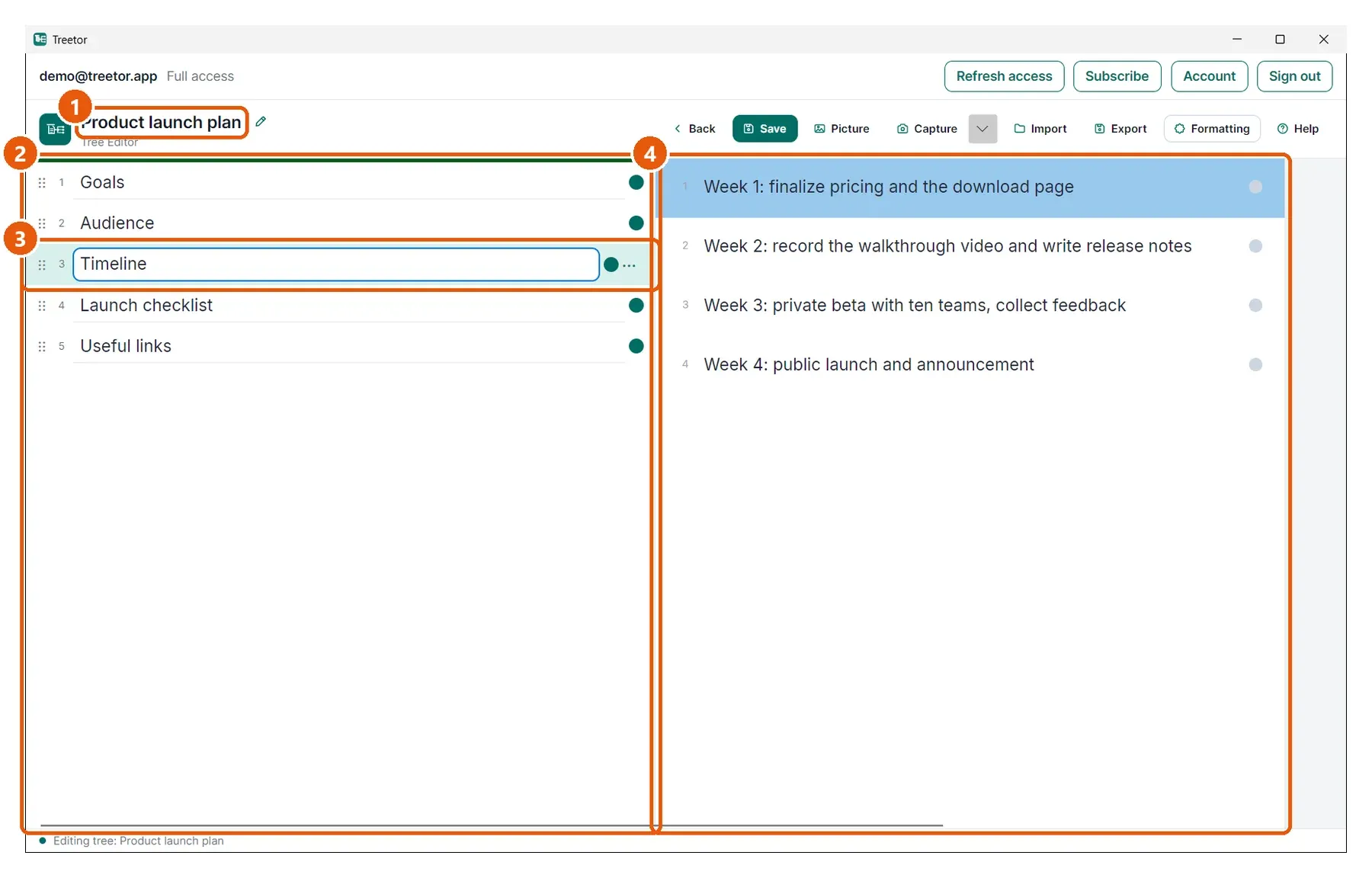
Treetor gives your notes a real parent-child structure: trees, branches, text items, and picture items that can be rearranged as your understanding changes.
Built for people searching for hierarchical information app, hierarchical notes, structured information, knowledge hierarchy, tree structure notes, and better ways to organize complex ideas.
Why it works
Break a complex topic into books, branches, and items instead of flattening everything into one long note.
Promote, demote, reorder, duplicate, and merge items when the shape of the work changes.
Mix text items with captured or imported picture items, then export the result when it is ready to share.
Structured knowledge
Projects, research, procedures, product plans, and learning notes usually are not linear. Treetor treats hierarchy as the primary model, so users can keep context visible while drilling into detail.
Hierarchy should not feel locked after you create it. Use keyboard shortcuts to move items up or down, indent them under another item, or outdent them back to the parent level.
Where Treetor fits
| Compared with | What Treetor gives you |
|---|---|
| Flat notes | Nested relationships are first-class, not simulated with headings. |
| Folders | Branches can be rewritten and rearranged inside the editor, not managed as external files. |
| Mind maps | You get structured thinking without losing fast keyboard editing and export-friendly text. |
Screenshot-backed guide
The user guide is built from the product itself, with annotated screenshots for the exact features that make Treetor different.
FAQ
A hierarchical information app organizes knowledge into parent-child relationships so complex topics can be browsed, rearranged, and understood as a structured tree.
Yes. Treetor includes keyboard and menu commands to move items up or down, indent them into the item above, and outdent them back to the parent level.
Yes. Treetor stores working trees locally. An account gives you permanent Free text editing, a 30-day Pro trial, and the option to add encrypted Sync.
Try the complete desktop app
Free for 30 days — no card required. Available for Windows, macOS, and Linux.