
What Treetor is
Treetor is a desktop editor for notes that have structure. You write in a tree: a Tree holds Branches, a Branch holds Items, and any Item can open into a Branch of its own. Pictures, screen captures and annotations live in the same tree as your text.
Trees, Branches and Items
Three words cover the whole model. Everything you do in Treetor — writing, arranging, capturing, exporting — works on one of these three levels.
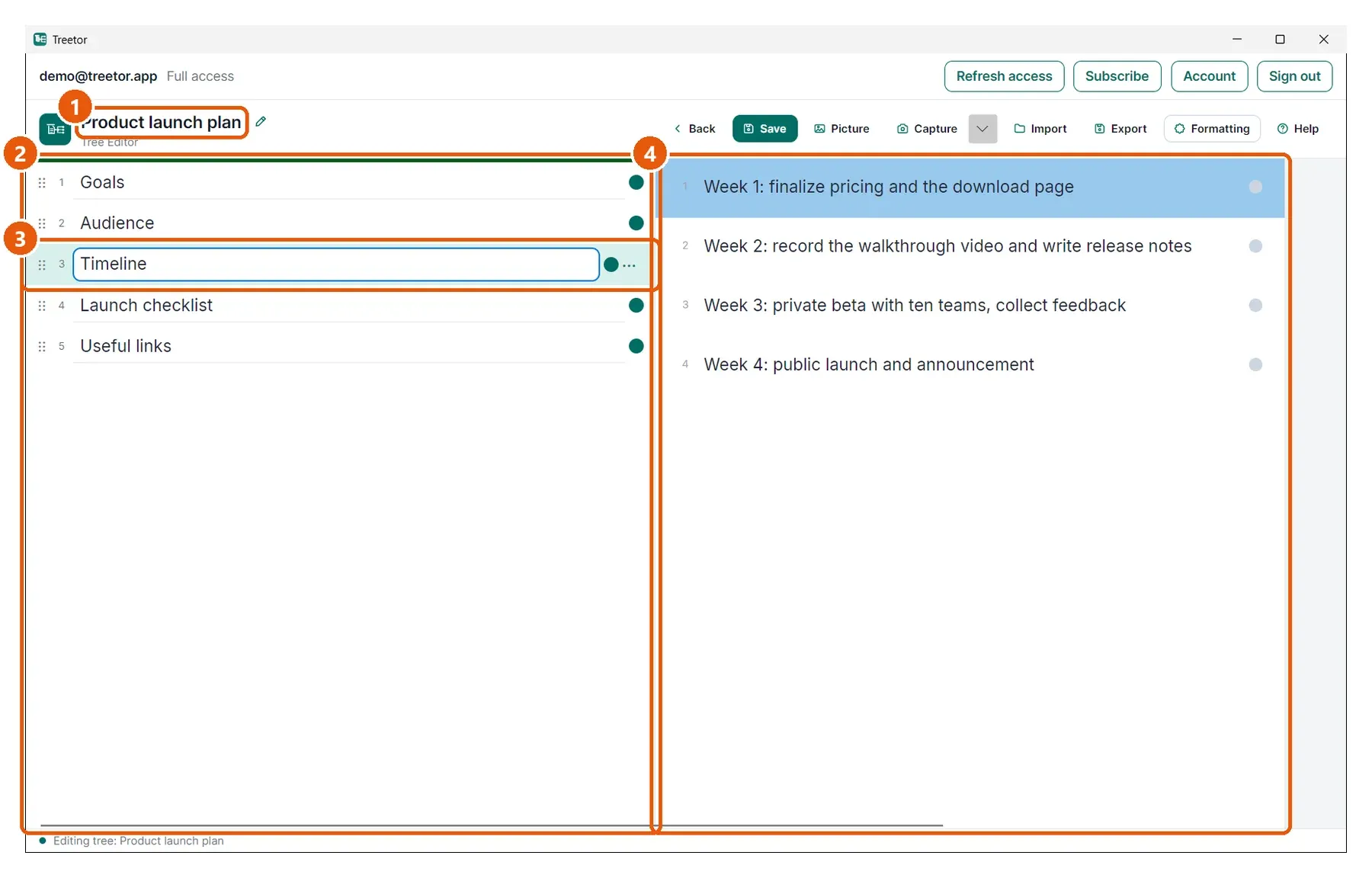
- Tree — one document. A tree has a title and a note, lives in your Tree Library, and exports as a whole to Markdown, Word, PDF or a Treetor Pack.
- Branch — one column: the list of items at a single level. The first column is the root branch of the tree.
- Item — one entry in a branch: a paragraph of text, a link, or a picture. Select an item and the column to its right shows what is underneath it.
- A child branch — the items under the selected item. Any item can have children, and those children can have children — that is how a tree grows.