
Annotation presets & image background
A preset is the set of colours, pen widths and fonts your tools use. Treetor keeps one preset for light pictures and one for dark, chosen in the bar under the picture so your callouts stay readable on both.
The bar under the picture
It reads left to right: which content profile you are in, which background the picture has, and which preset that combination uses.
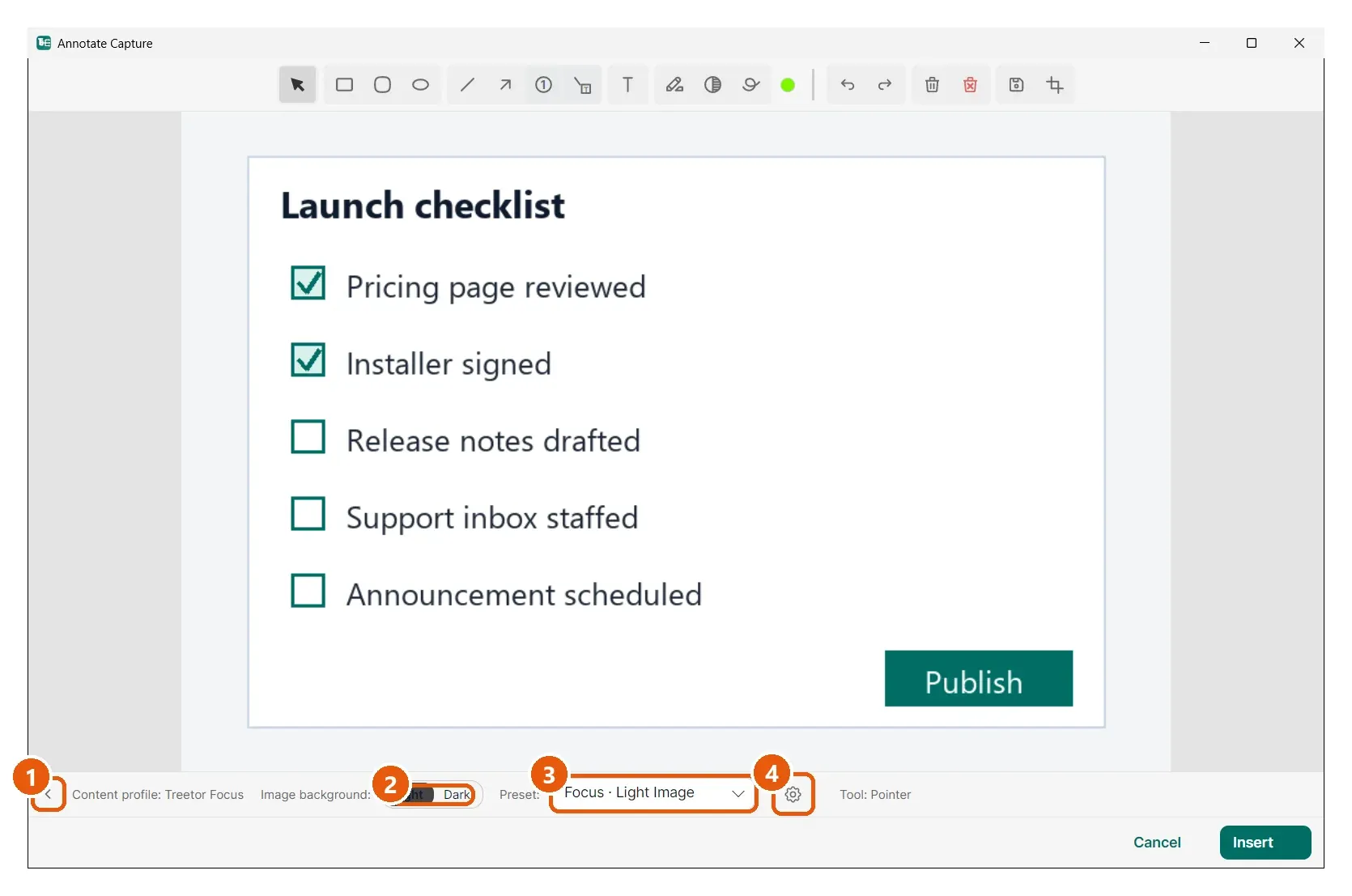
- Collapse — hides the bar to give the picture more room; click again to bring it back.
- Image background: Light / Dark — tell Treetor whether the picture is mostly light or mostly dark. Each background has its own preset, so callouts drawn on a dark screenshot get a light stroke and the other way round.
- Preset — the preset in use for this background. The built-in content profiles ship with Focus and Presentation presets; pick another from the list.
- Edit presets — the gear opens the Annotation Tool Presets window, where every tool's colour, width, fill and font can be changed and saved (Part 7).