
Annotation workflow example
A typical annotation takes under a minute: two numbered callouts on the things you want to explain, an arrow to the button that matters, a blur over what should not be shared, then Insert.
Draw the callouts, the arrow and the blur
Each tool works the same way: click it, then drag on the picture from where the mark should start to where it should end.
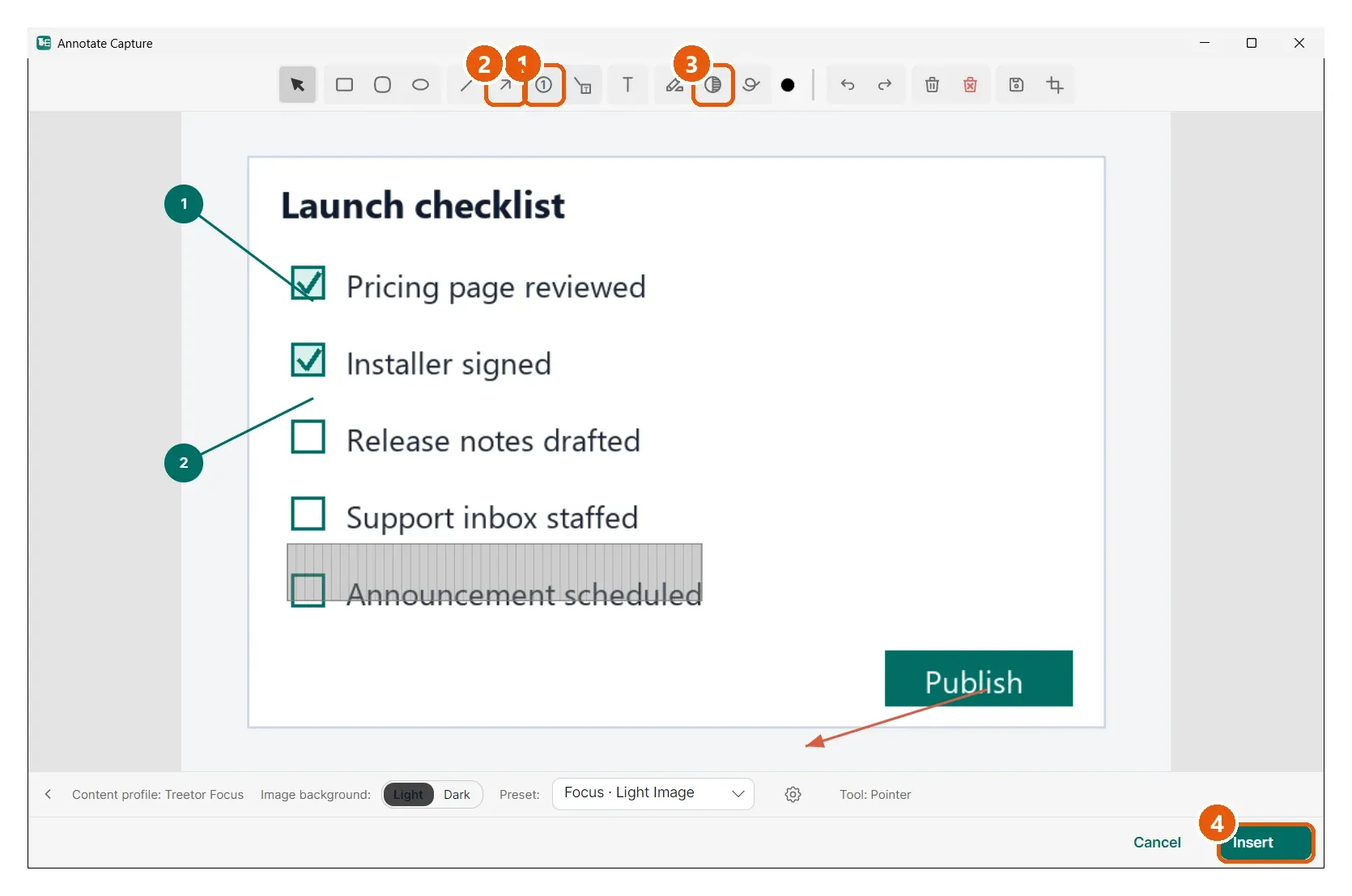
- Number — drag from the thing you are pointing at outwards; the badge lands where you release and the numbers count up by themselves (1, 2, …).
- Arrow — drag from the tail to the tip.
- Blur/Redact — drag a rectangle over anything private. The pixels underneath are blurred in the saved picture, not just covered.
- Insert — when it looks right, save it into the tree.
The annotated picture in your tree
Back in the editor, the picture item shows the flattened result. The callout numbers now match whatever you write in the items below it.
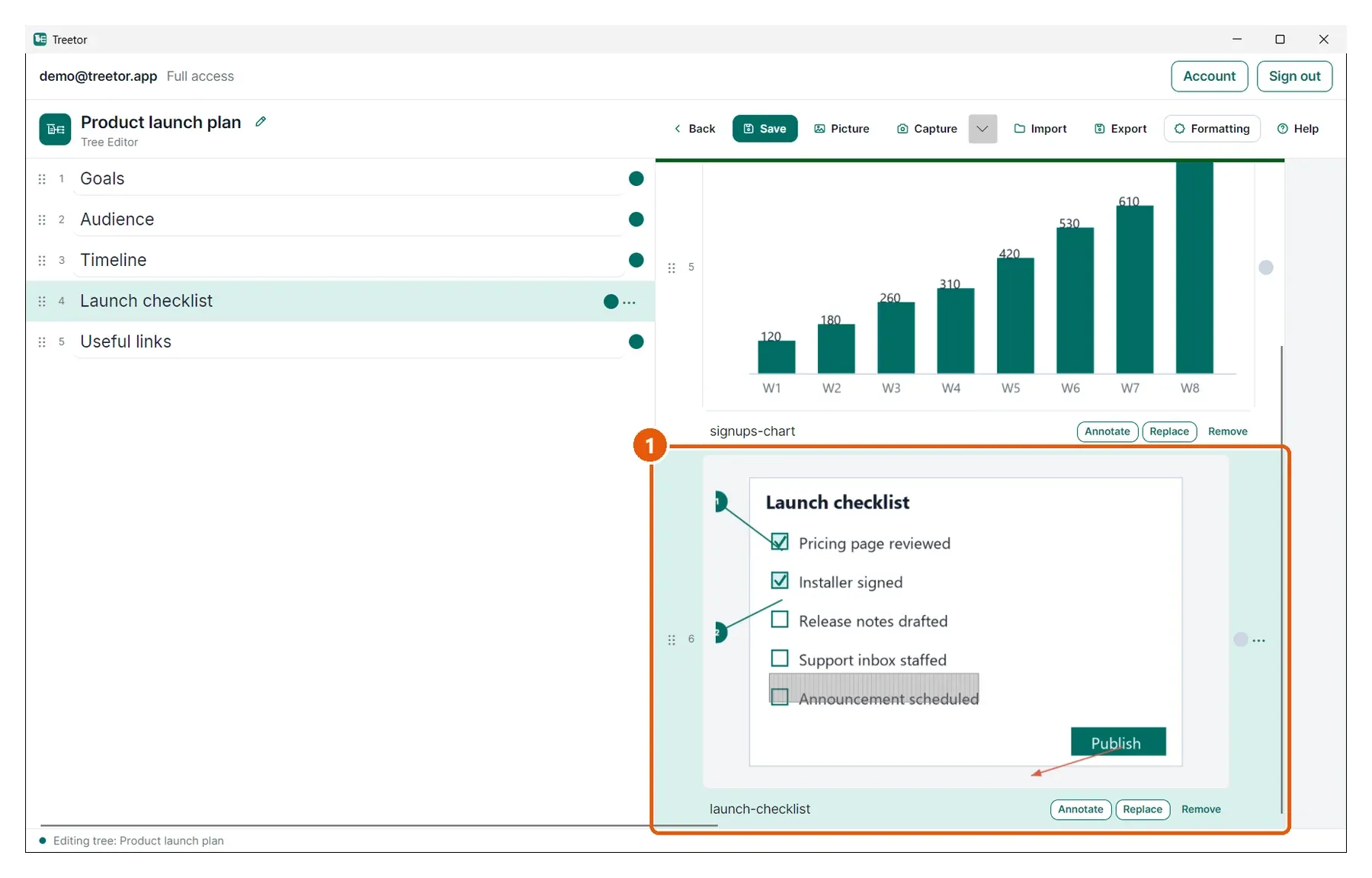
- The item — annotations are part of the picture; the caption and children are untouched. Click Annotate again to change anything — see Re-editing annotations later.