
Tree-wide formatting
List Formatting sets how every item in the tree looks: typeface, size, weight, style, colours, alignment and the spacing between rows. The columns update live, and the preview box shows the result before you commit.
The List Formatting fields
Every field applies to all items in the tree. Fields are greyed while a built-in profile is selected — Save As makes an editable copy.
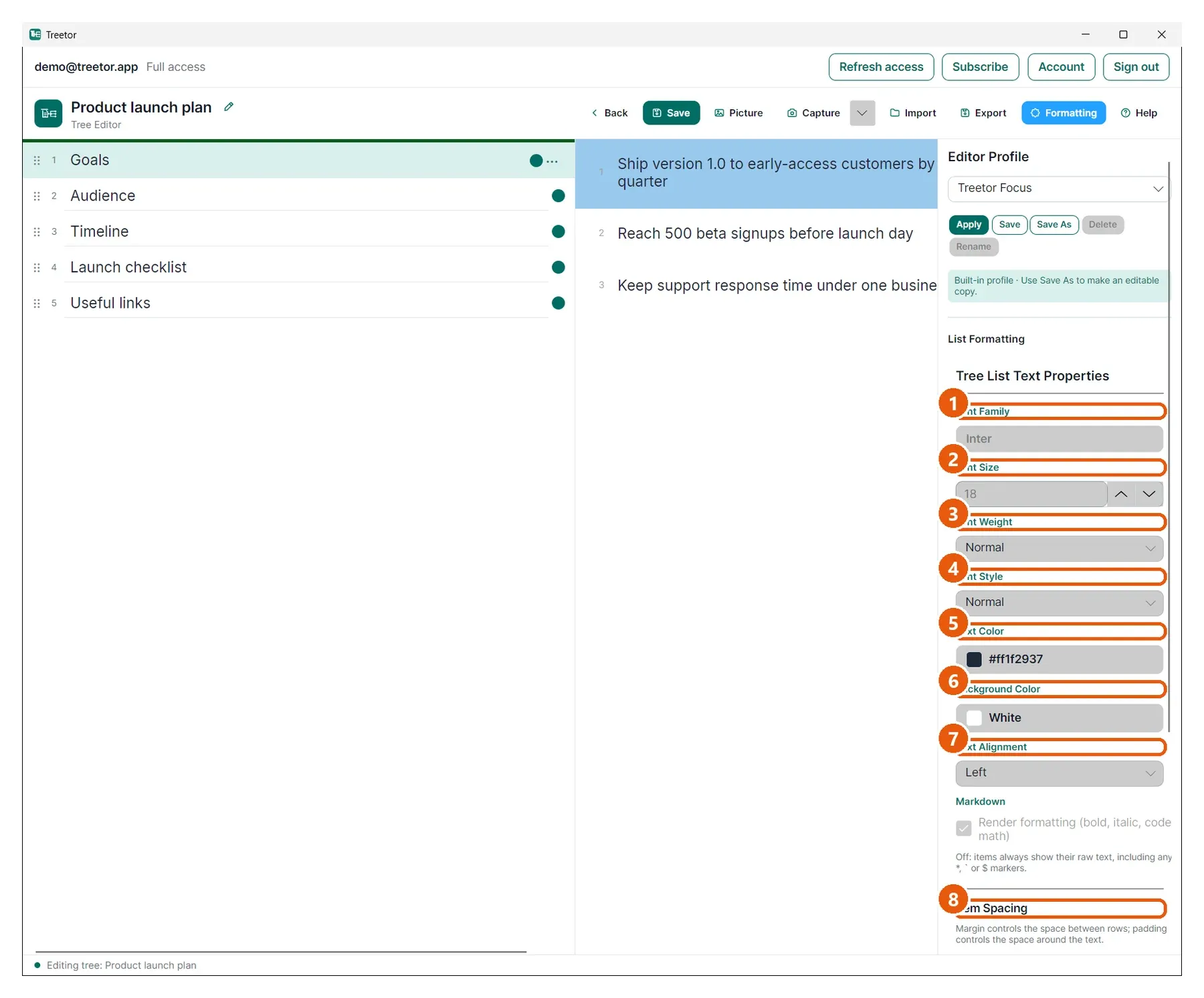
- Font Family — the typeface for item text.
- Font Size — in points; the arrows step by one.
- Font Weight — Normal, DemiBold, Bold and so on.
- Font Style — Normal or Italic.
- Text Color — click the swatch to open the colour picker.
- Background Color — the column background behind items.
- Text Alignment — Left, Center or Right.
- Item Spacing — margin is the space between rows, padding the space around the text inside a row; horizontal and vertical are separate.
- Preview — a sample line rendered with the current settings.