
Drag and drop
Drag an item by its grip and drop it on another item. Where you let go on the target decides what happens: the top quarter puts it before, the bottom quarter after, and the middle makes it a child.
Drop before: the top quarter
Press on the grip (⋮⋮) of the item you want to move and drag it over another item. Hovering the top quarter of the target draws a teal line along its top edge.
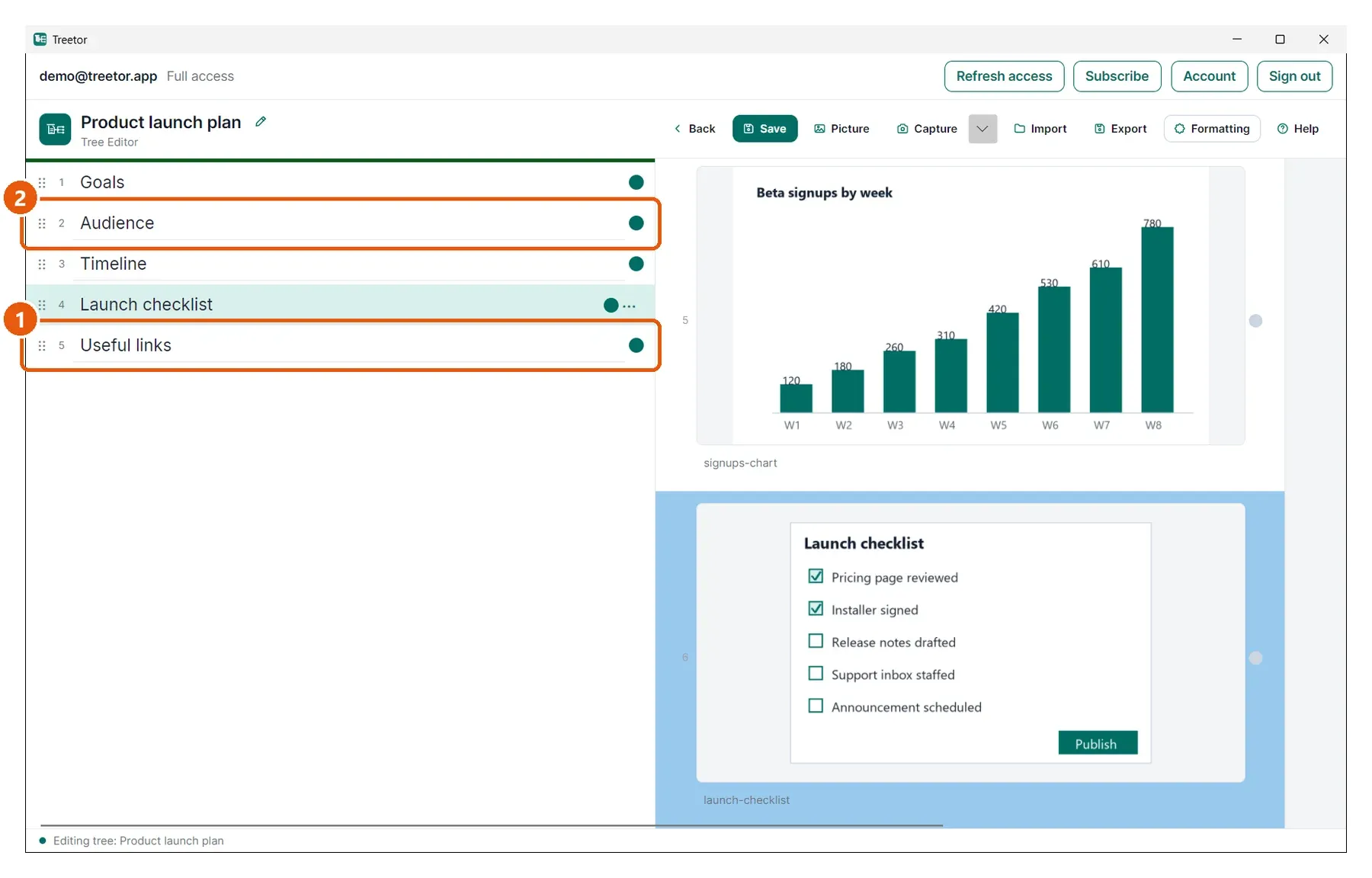
- Dragged item — Useful links, picked up by its grip.
- Target, top quarter — a teal line on the upper edge: release here and the item lands just before the target.
Drop into: the middle
Hovering the middle half of the target fills it with a teal tint and border.
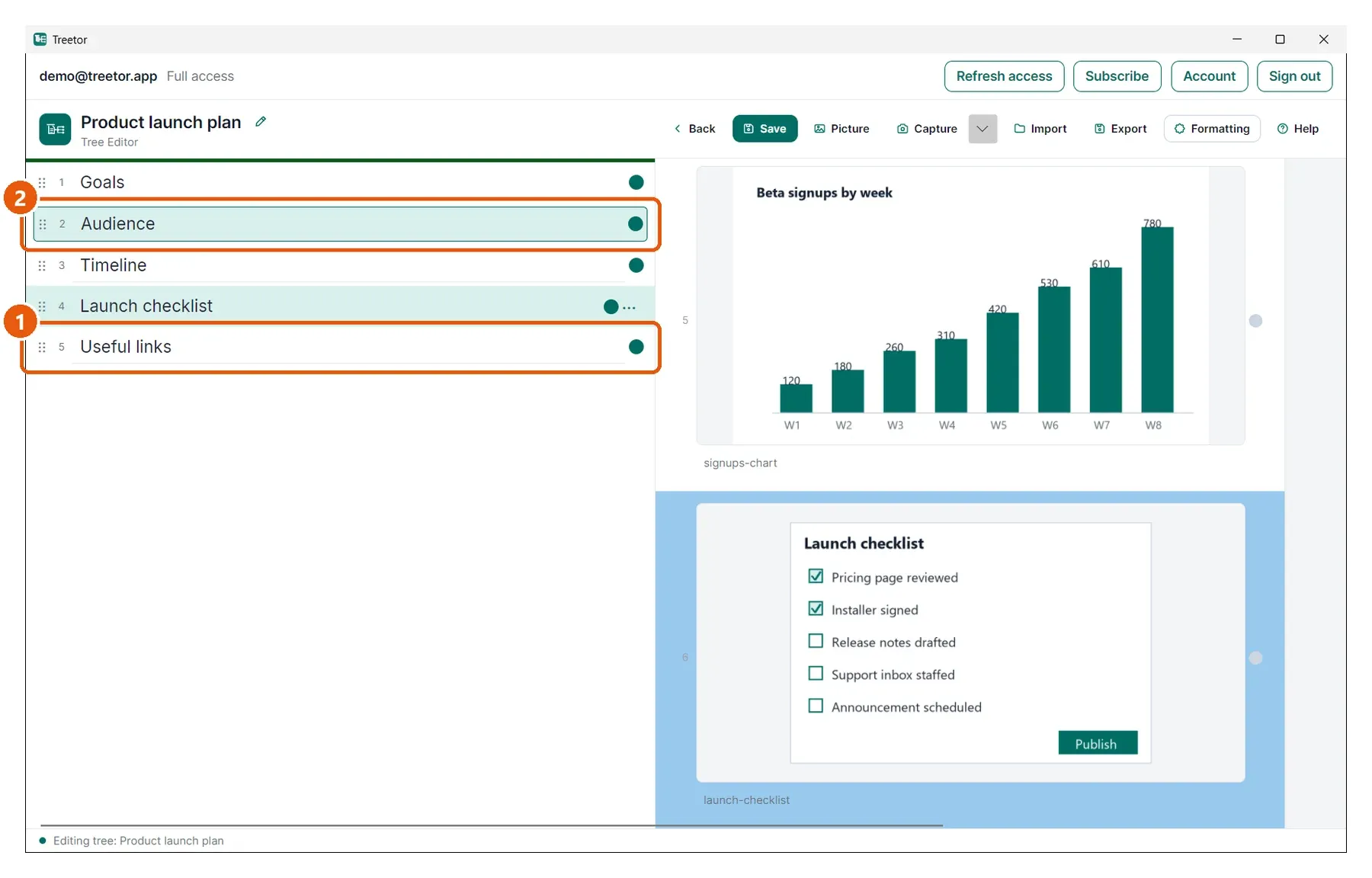
- Dragged item — the same item, still held.
- Target, middle — tinted teal: release here and the item becomes the target's last child. The target's dot turns teal if it was a leaf.
Drop after: the bottom quarter
Hovering the bottom quarter draws the teal line along the target's bottom edge.
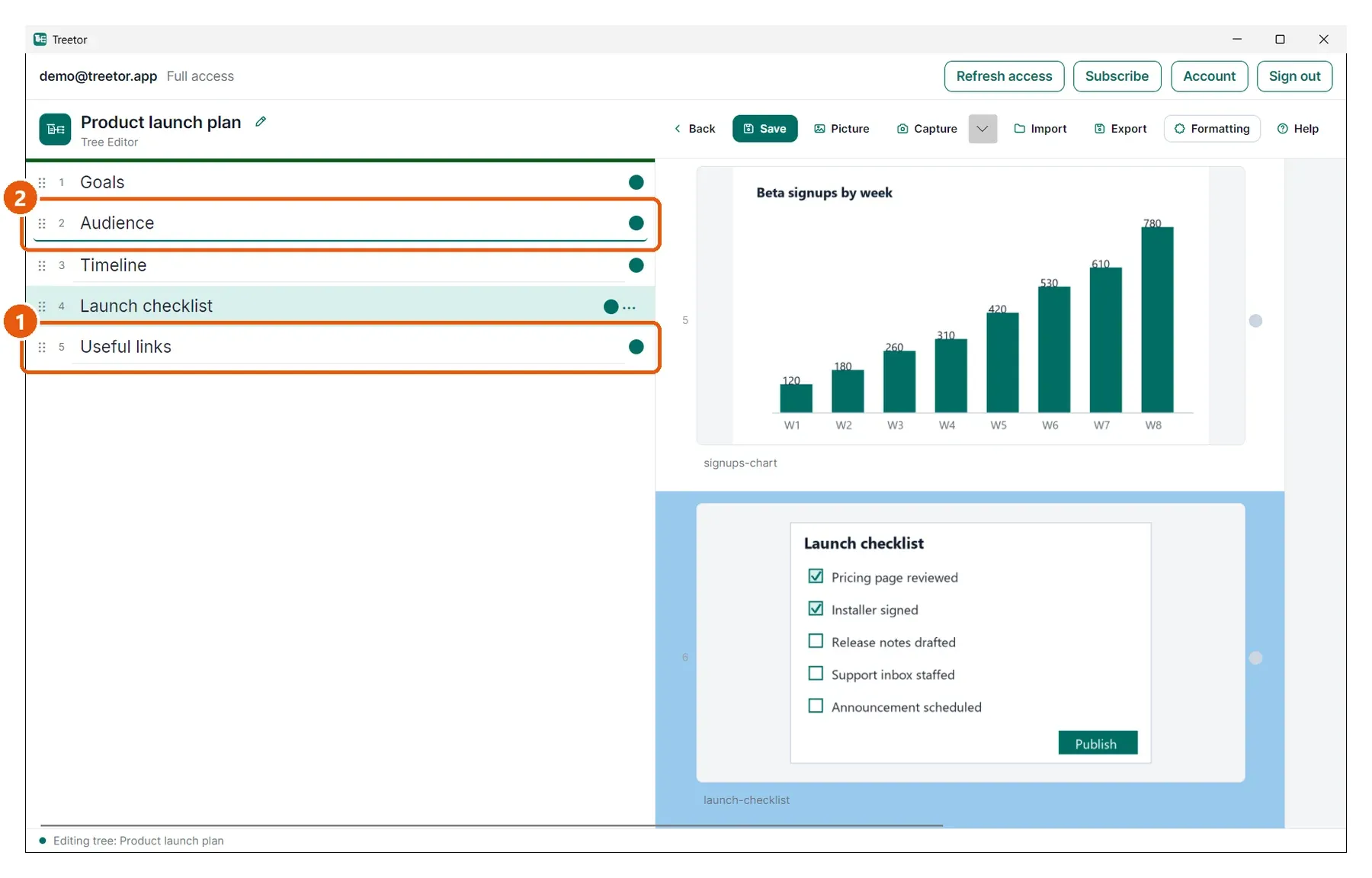
- Dragged item.
- Target, bottom quarter — a teal line on the lower edge: release here and the item lands just after the target.