Keep typing
Use Ctrl+Enter to add the next item and continue capturing ideas at speed.
 TreetorView pricing
Keyboard-first outliner
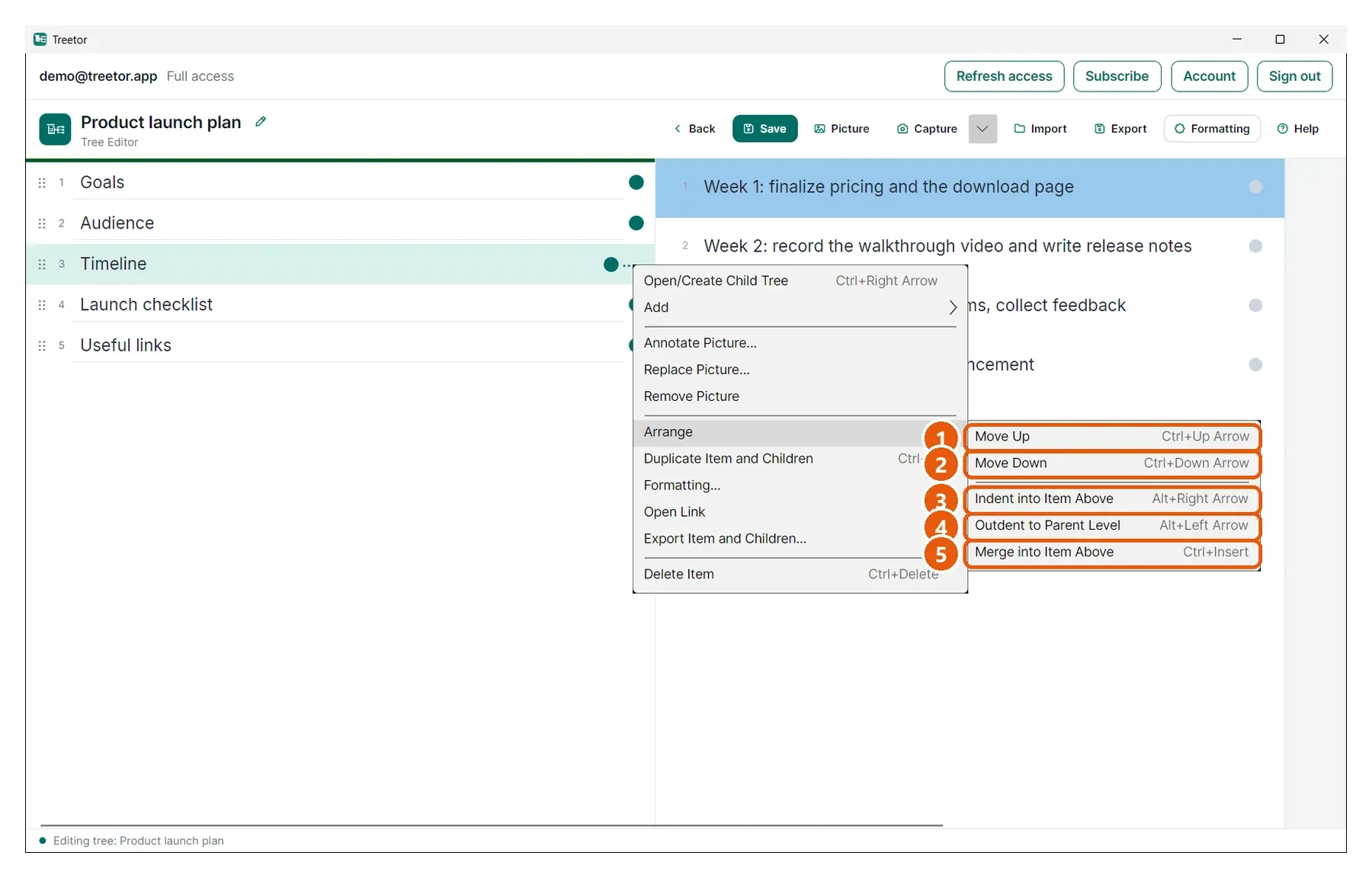
Create the next item, move it up or down, nest it under another idea, or pull it back out — all with direct keyboard shortcuts.
Built for people searching for keyboard outliner, keyboard-first notes, outliner app, rearrange notes with keyboard, tree editor shortcuts, and better ways to organize complex ideas.
Why it works
Use Ctrl+Enter to add the next item and continue capturing ideas at speed.
Use Ctrl+Up/Down to reorder and Alt+Right/Left to indent or outdent.
When you move a structured item, its nested context moves with it.
Structured knowledge
Most notes get harder to reorganize over time. Treetor is designed for repeated restructuring — during planning, research, writing, and review.
Treetor surfaces hierarchy commands in menus and the guide, but the fastest workflow is keyboard-first: write, move, indent, outdent, repeat.
Where Treetor fits
| Compared with | What Treetor gives you |
|---|---|
| Basic outliners | Text and picture items can live throughout the hierarchy. |
| Drag-and-drop notes | Rearranging does not require carefully grabbing rows with the mouse. |
| Long documents | You can restructure small pieces instead of cutting and pasting paragraphs. |
Screenshot-backed guide
The user guide is built from the product itself, with annotated screenshots for the exact features that make Treetor different.
FAQ
Yes. Treetor supports keyboard shortcuts for moving items up and down, indenting, outdenting, opening child trees, and more.
Alt+Right moves the selected item one level deeper under the item above it.
Alt+Left moves the selected item back toward the parent level.
Try the complete desktop app
Free for 30 days — no card required. Available for Windows, macOS, and Linux.