Less canvas management
Focus on the relationship between ideas instead of arranging boxes on a freeform canvas.
 TreetorView pricing
Mind map alternative
Mind maps are useful for brainstorming, but they can become hard to edit, export, or maintain. Treetor keeps the hierarchy, adds fast keyboard control, and stays comfortable for long-form work.
Built for people searching for mind map alternative, structured mind map, tree notes, outline mind map, visual thinking app, and better ways to organize complex ideas.
Why it works
Focus on the relationship between ideas instead of arranging boxes on a freeform canvas.
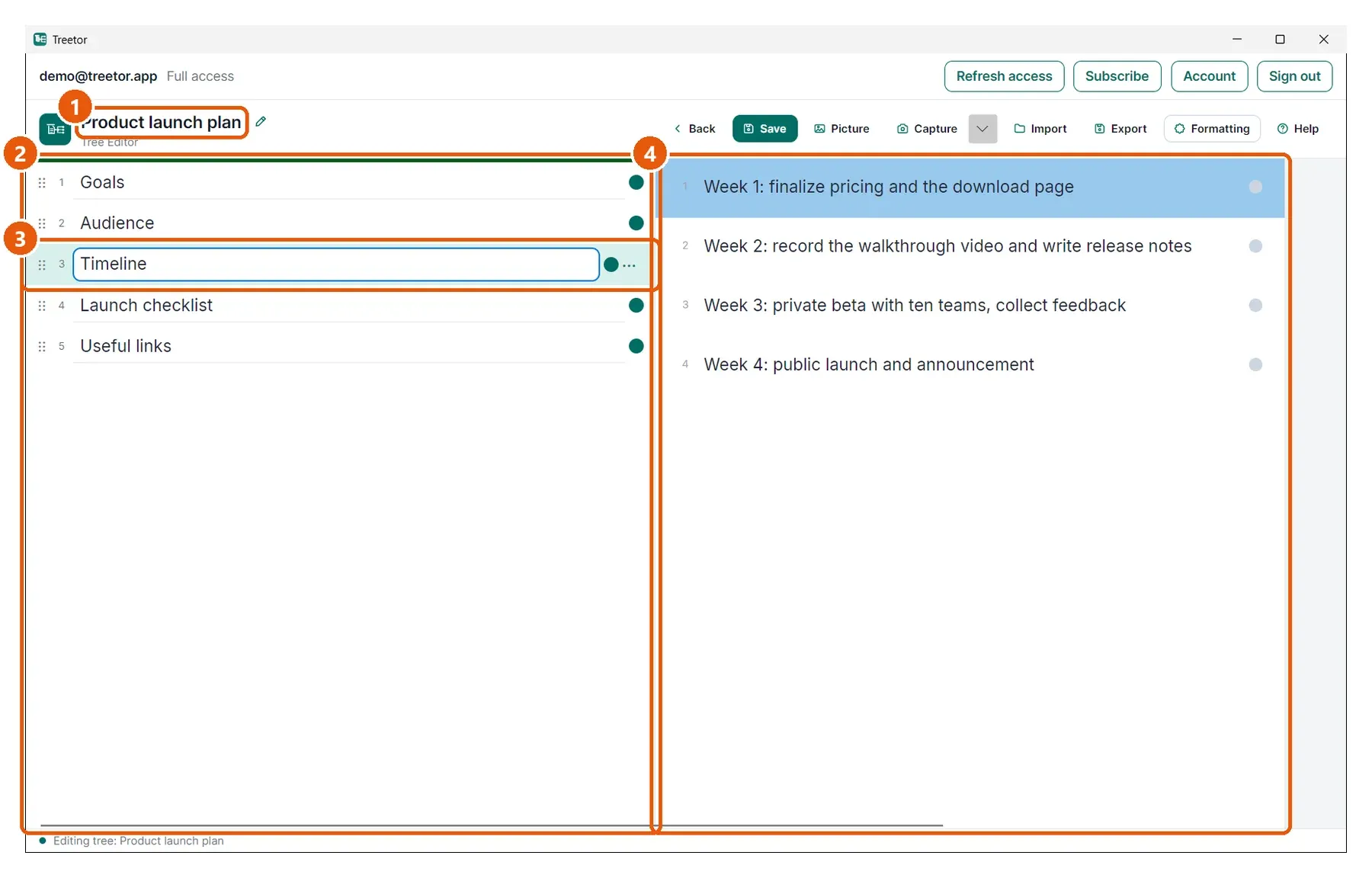
Each item can hold real text, pictures, annotations, links, and exports.
Indent, outdent, reorder, and merge items as the map changes.
Structured knowledge
A mind map is great at the start. Treetor is better when the brainstorm becomes research, documentation, a plan, or a reusable process.
Treetor is not text-only. Add picture items, capture screens, annotate important details, and keep that visual context inside the same hierarchy.
Where Treetor fits
| Compared with | What Treetor gives you |
|---|---|
| Mind map canvas | A calm tree editor for sustained note-taking and navigation. |
| Diagram exports | Markdown, Word, PDF, and Treetor Pack exports for working documents and backups. |
| Drag-heavy editing | Keyboard-first movement for people who restructure often. |
Screenshot-backed guide
The user guide is built from the product itself, with annotated screenshots for the exact features that make Treetor different.
FAQ
Treetor can support mind-map-like thinking, but it focuses on a keyboard-editable tree rather than a freeform diagram canvas.
Use Treetor when your brainstorm needs to become structured notes, documentation, plans, or exportable writing.
Yes. Treetor supports picture items, screen capture, and annotation tools inside the same tree structure.
Try the complete desktop app
Free for 30 days — no card required. Available for Windows, macOS, and Linux.