
Writing items
Type straight into an item. Enter starts a new line inside it; Ctrl+Enter starts the next item. That is the whole rhythm of writing in Treetor.
Lines and items
Click into any item and type. Two keys decide whether you are adding to the item or moving on to the next one.
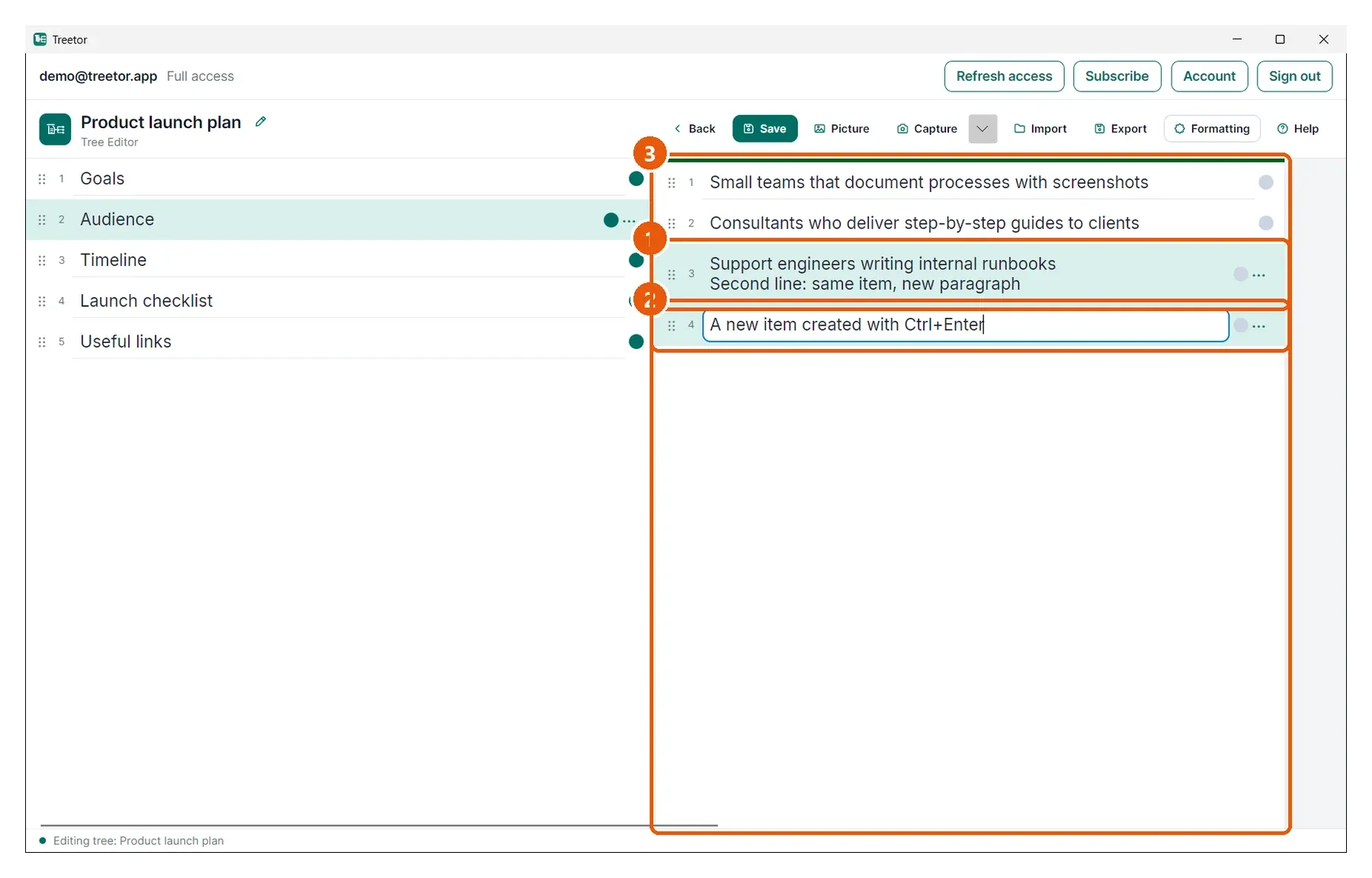
- A two-line item — Enter added the second line without leaving the item. Long items grow to a few lines, then scroll inside their box.
- The next item — Ctrl+Enter created a new item directly below and put the cursor in it.
- Active column — typing always goes to the column with the green bar.