
Picture item controls
Three small buttons sit under every picture: Annotate, Replace and Remove. Double-clicking the picture itself is the shortcut to Annotate.
Annotate, Replace, Remove
The buttons appear under the picture, next to its caption.
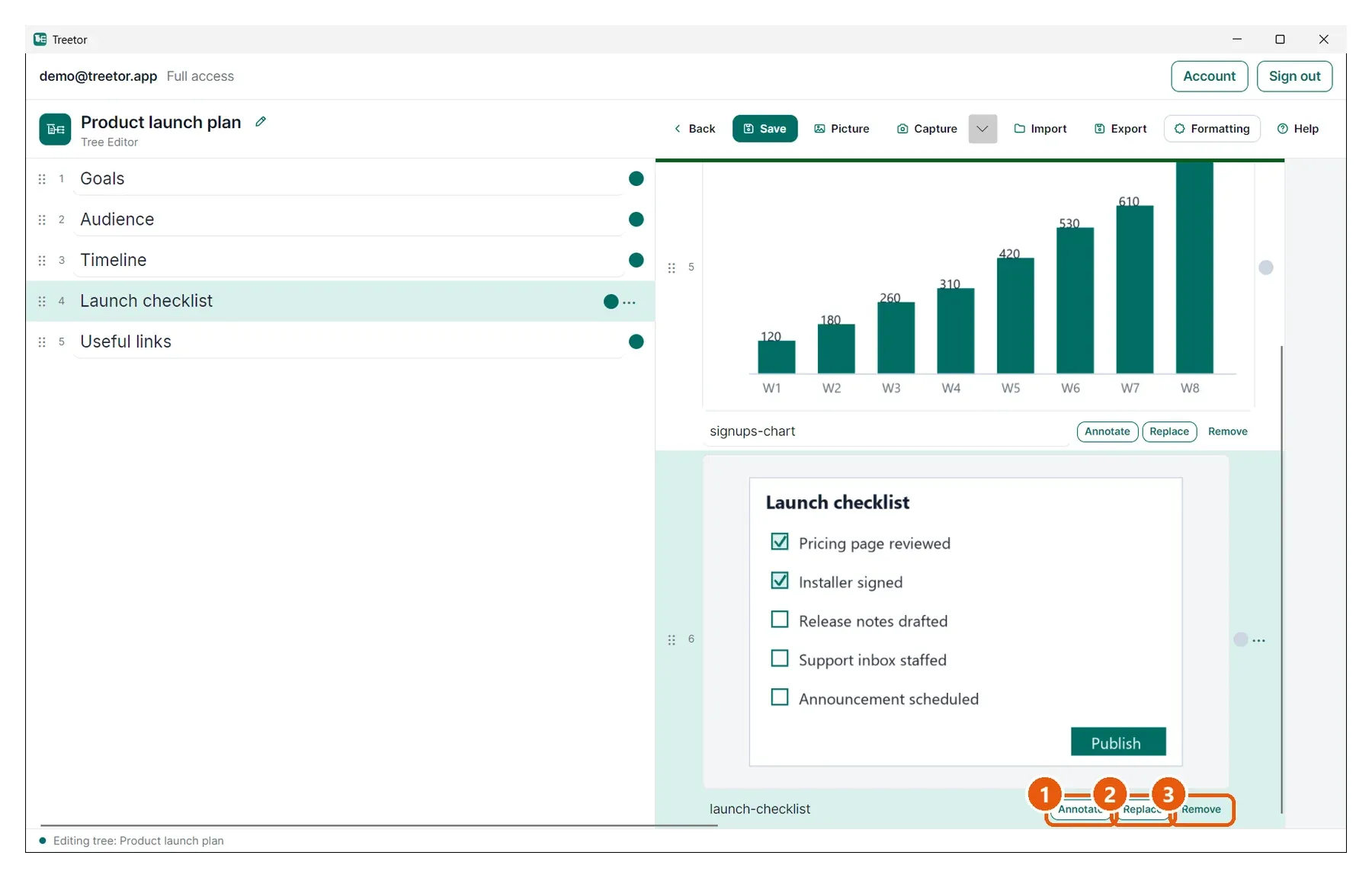
- Annotate — opens the picture in the annotation editor. Double-clicking the picture does the same.
- Replace — swaps the image for another file and keeps the item, its caption and its children.
- Remove — takes the picture away and keeps the item as a text item, so nothing underneath it is lost.