
Navigating the tree
Four keys move you anywhere: Up and Down within a column, Ctrl+Right into an item's children, Ctrl+Left back to its parent. Your hands never leave the keyboard.
Down into children, back up to the parent
Here Goals was selected in the root column and Ctrl+→ pressed: the green bar moved to the children, and the first child is selected.
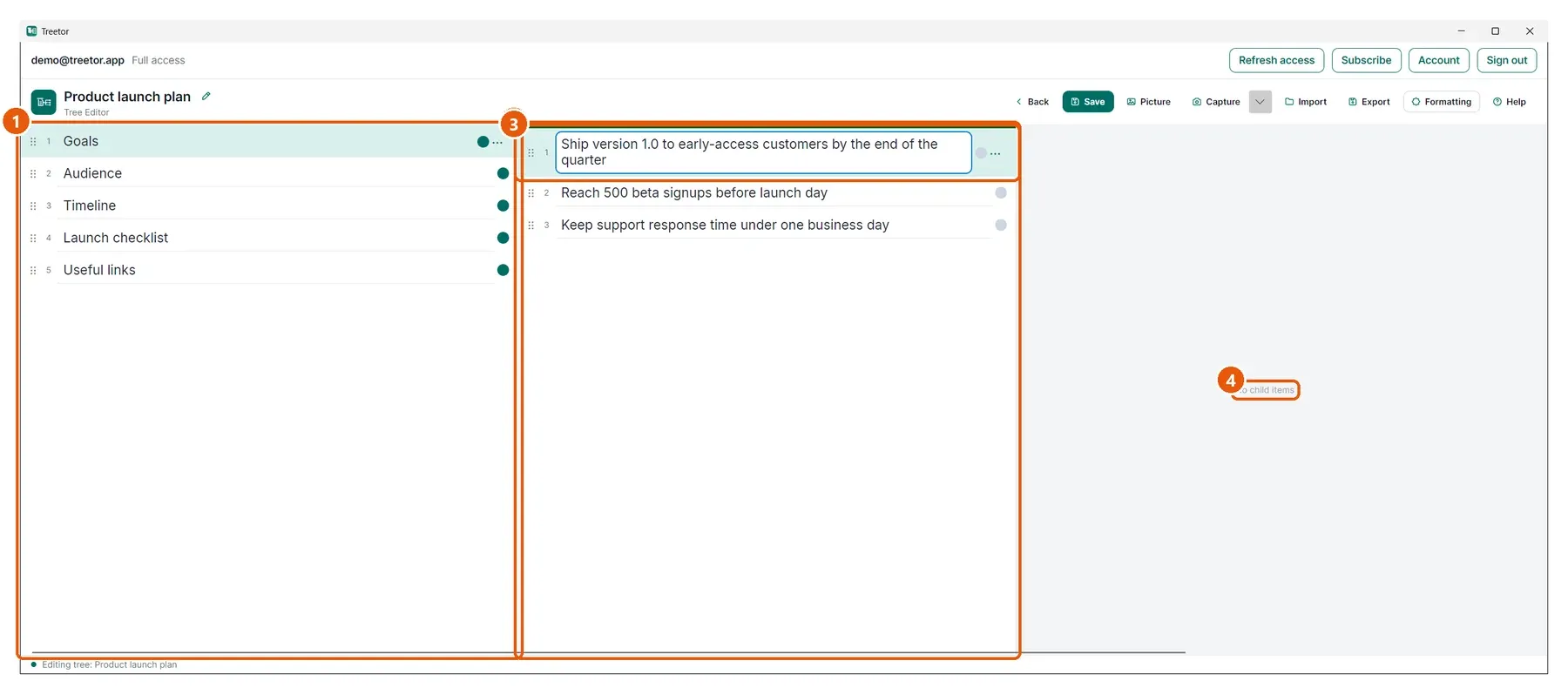
- Parent column — where you came from. Ctrl+← moves the green bar back here, with the parent still selected.
- Active column — the children of Goals. ↑ and ↓ move the selection; typing edits the selected item.
- Selected item — pressing Ctrl+→ on an item with no children creates its first child and opens it.
- No child items — the preview for a leaf. The column fills the moment the item gets a child.