
Edit tree details
A tree's title and note can be changed at any time from the editor: the pencil next to the title opens the Tree Info dialog.
Find the pencil
Open the tree. The pencil sits right after the title in the editor header.
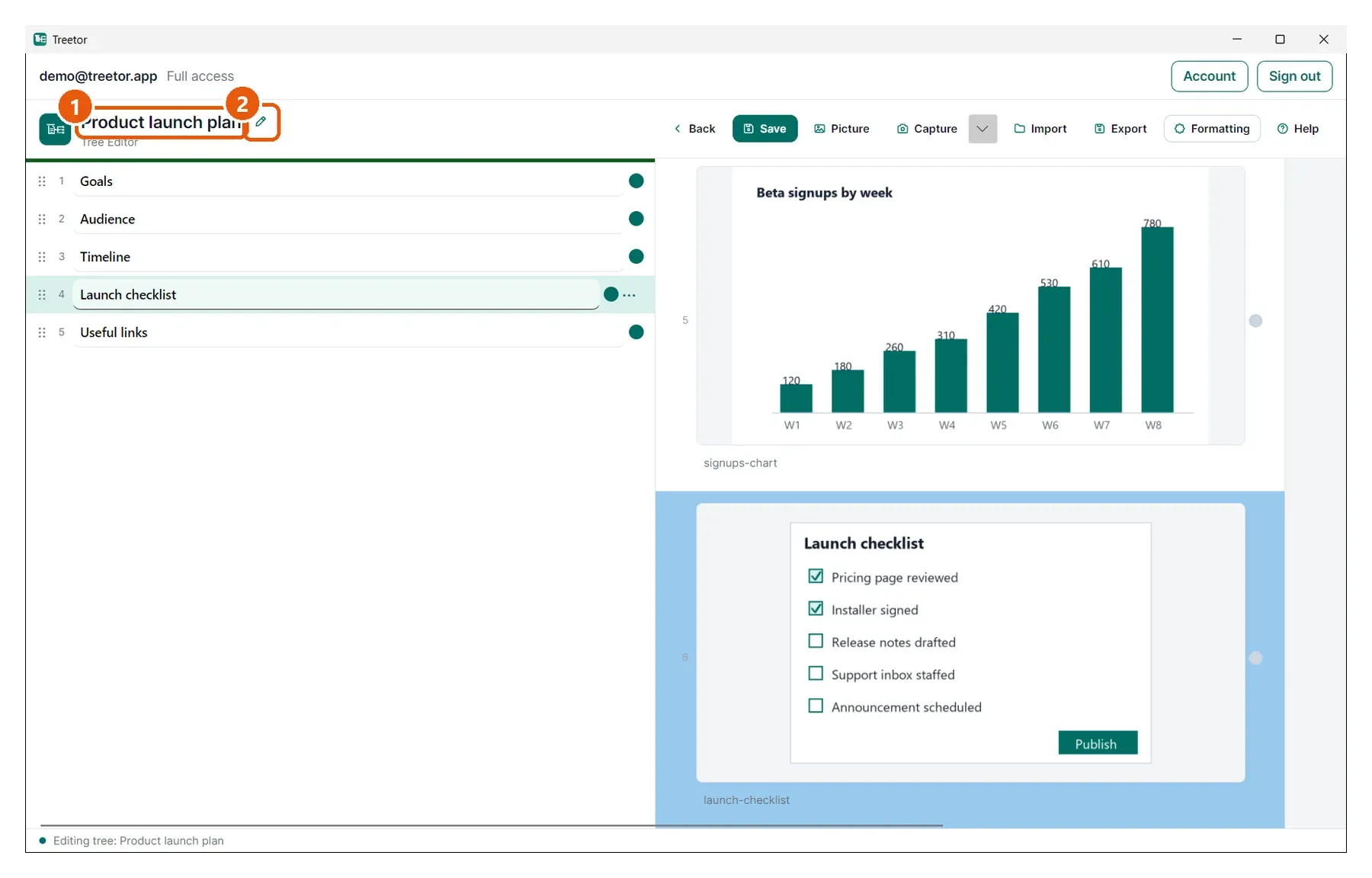
- Tree title — as shown on the library card.
- Pencil — opens the Tree Info dialog.
Change the title or note
Tree Info is the same dialog you used to create the tree, filled in with the current values.
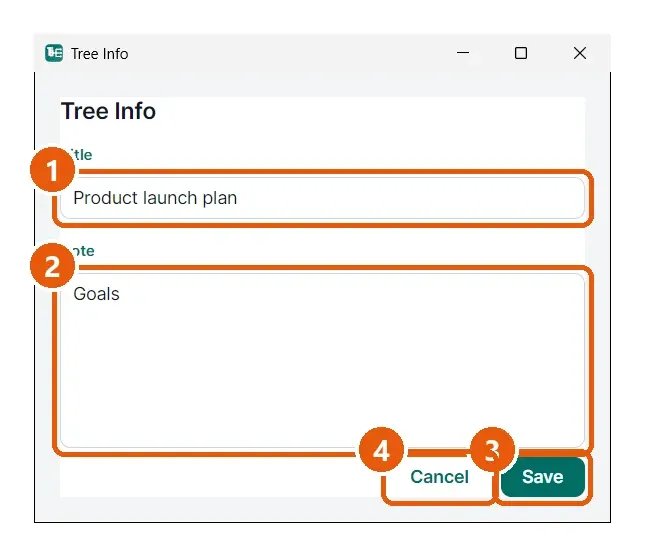
- Title — rename the tree. The header and the library card update as soon as you save.
- Note — the description shown on the card.
- Save — applies the changes.
- Cancel — keeps the old values.