
Export a subtree
You do not have to export a whole tree. From the editor, Export Item and Children… writes just the selected item and everything underneath it as a Treetor Pack.
Two ways to start
Select the item that should become the top of the exported pack.
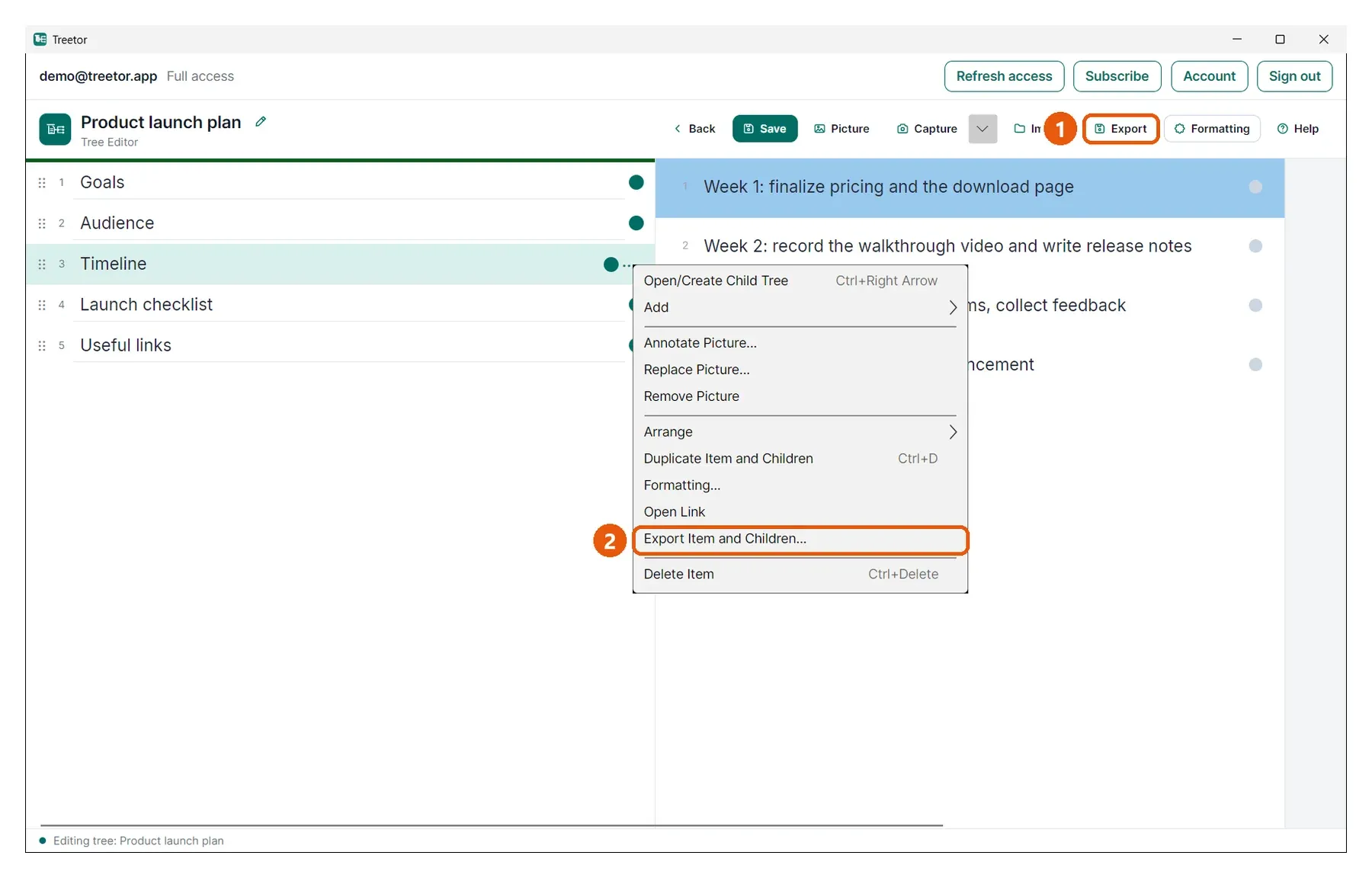
- Export in the editor toolbar — exports the selected item and its children.
- Export Item and Children… in the item menu — the same, from the right-click or ⋯ menu.
Save the pack
A save dialog opens straight away with the Treetor Pack file type selected; choose a name and location. The selected item becomes the root of the pack. Import it later with Import in the Tree Library, where it appears as a new tree, or with the editor's Import button to attach it under an item — see Import a branch.