
Formatting panel
The Formatting button opens a panel beside the columns with two halves: List Formatting for the whole tree and Selected Item Formatting for one item. Changes show in the columns as you make them.
Open the panel
Click Formatting in the editor toolbar. The panel stays open while you edit; click the button again to hide it.
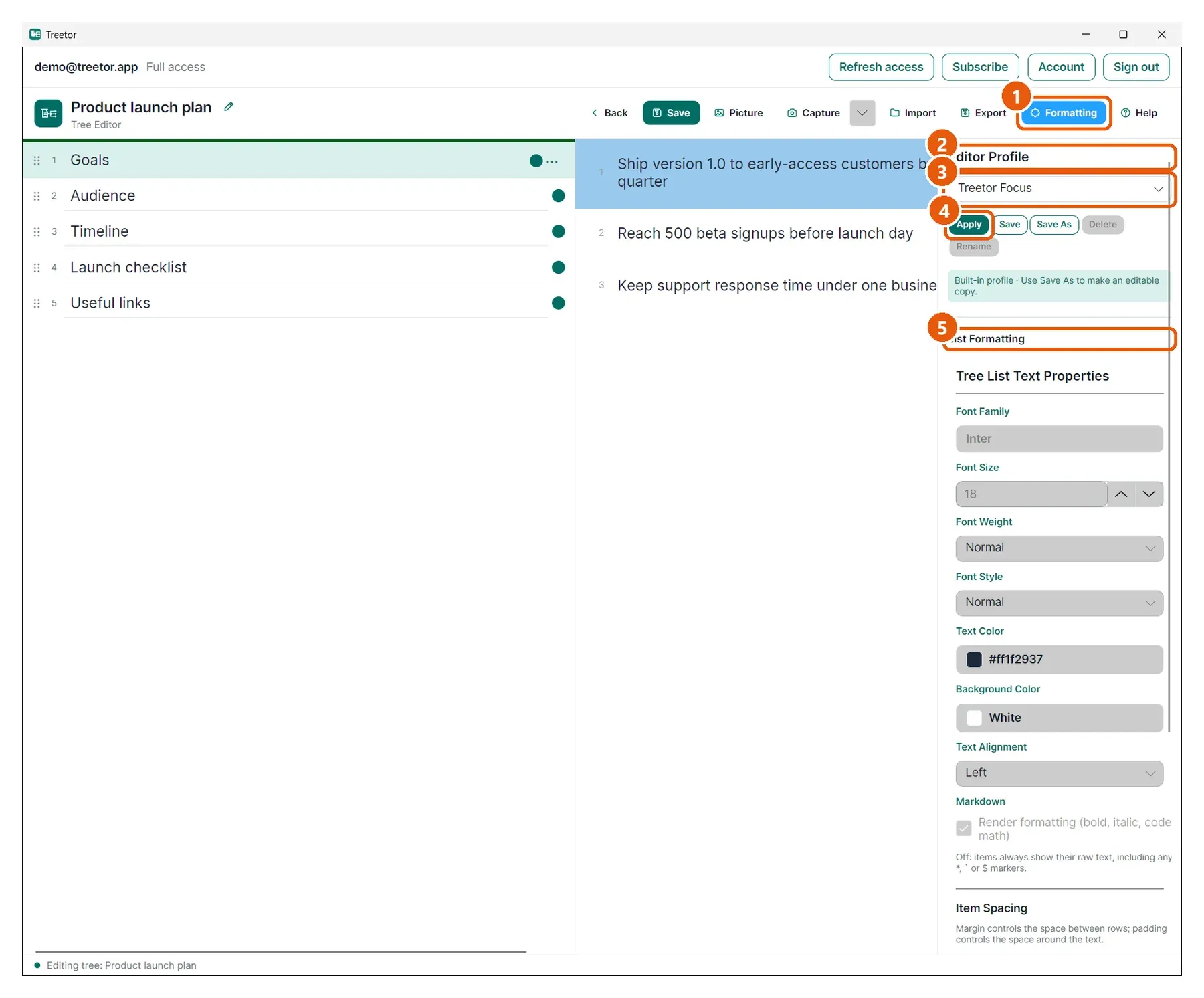
- Formatting — shows or hides the panel.
- Editor Profile — the content profile this tree uses. A profile bundles all the settings below plus the annotation presets.
- Profile picker — switch to another profile.
- Apply, Save, Save As, Delete, Rename — manage profiles; see Content profiles.
- List Formatting — fonts, colours, alignment and spacing for every item in this tree.
- Selected Item Formatting — at the bottom: overrides for the item that is selected right now.