
Formatting, code and math in items
Items are plain Markdown. Treetor renders bold, italic, strikethrough, highlight, inline code, colour-highlighted code blocks and LaTeX math whenever an item is not selected, and shows the raw text again the moment you click or arrow into it.
Shortcuts for the common markers
You do not have to type the markers. With the cursor in an item, or with text selected:
- Ctrl+B bold, Ctrl+I italic
- Ctrl+E (or Ctrl+```) inline code
- Ctrl+Shift+X strikethrough
With nothing selected the shortcut wraps the word at the cursor. Pressing it again removes the markers, and Ctrl+Z undoes it like any other edit.
Type Markdown, see it rendered
The selected item always shows its raw text so you can edit it. Every other item shows the rendered result. Move away with ↓ or click another row and the formatting appears; click the item or arrow back and the source is there again.
- **bold and __bold__** — bold
- *italic* and _italic_ — italic
- ~~struck~~ — strikethrough
- ==marked== — a highlighted run, as in Obsidian
- code — inline code in a monospace font
- label or a bare https:// address — a link; click it in a rendered item to open it
- \$ — a literal dollar sign
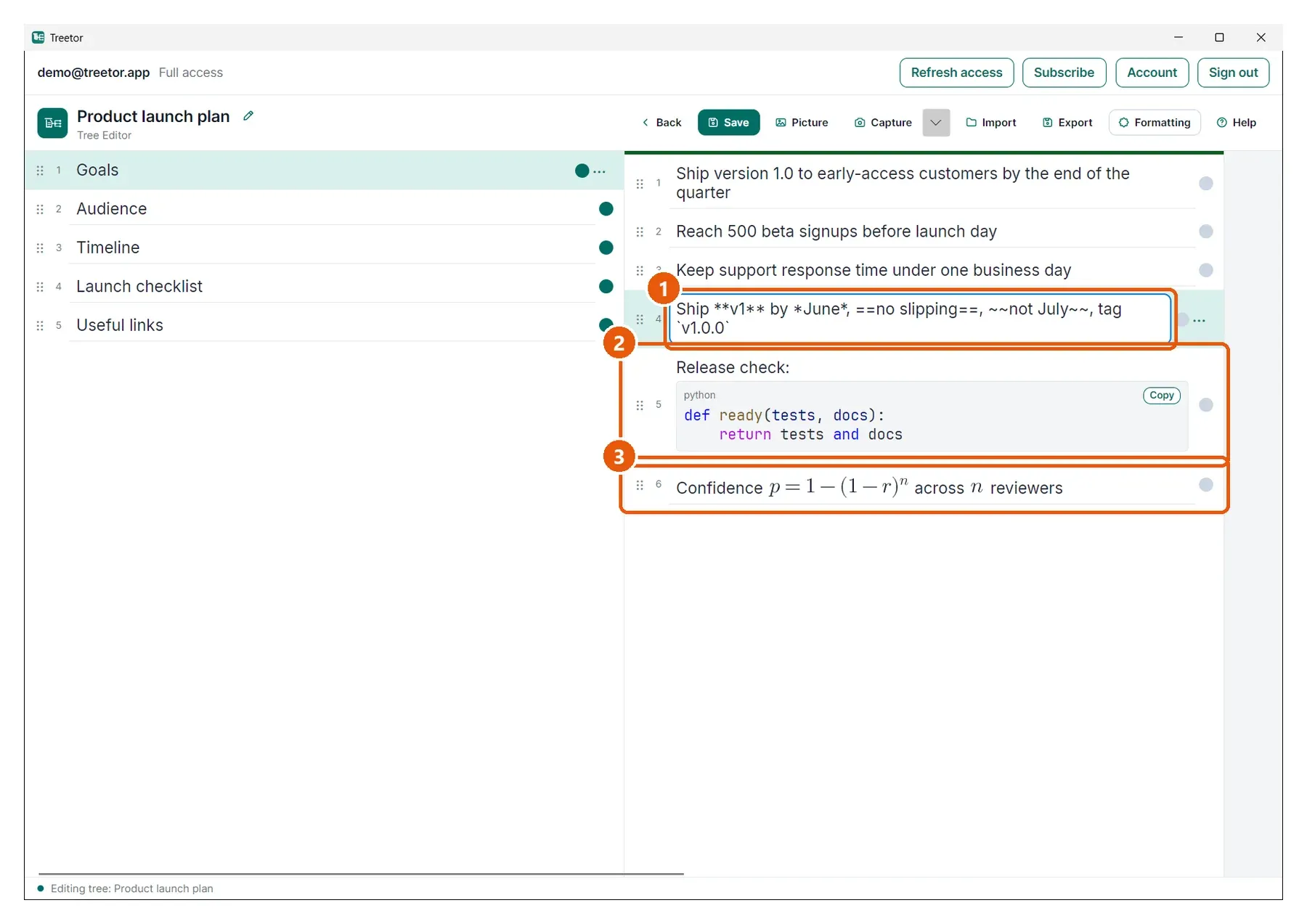
- The selected row — raw Markdown, ready to edit.
- Rendered code — the item below shows the result instead of the fence.
- Rendered math — the formula is typeset in place.
Read the selected item without leaving it
Press Esc and the selected item shows its rendered form too, without moving the selection. It is the quickest way to check a formula or a code block you are in the middle of writing. Any key, or a click on the item, brings the raw text back.
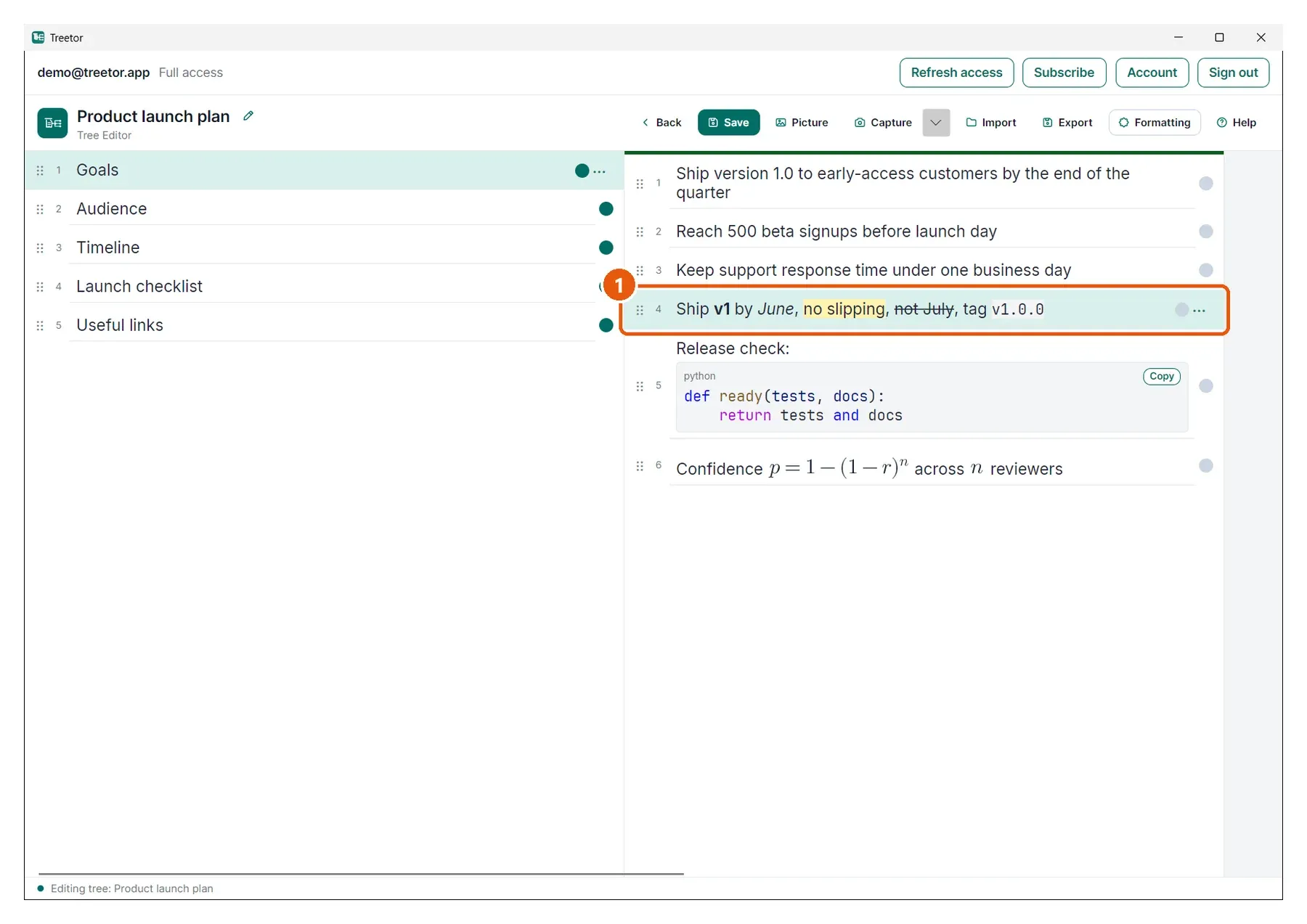
- The selected item — rendered while Esc holds, and still the selected row.
Code blocks
Put three backticks on their own line to start a block, add the language after them if you like, and close it with three backticks. The block keeps every space and blank line, shows the language in its corner, and has a Copy button.
- Tab inside a block inserts two spaces
- Enter inside a block starts a new line with the same indentation
- ↑ and ↓ move through the lines of the item first, then to the neighbouring items
Keywords, strings and comments are coloured for more than sixty languages, following the light or dark theme. An unknown language, or a block over two thousand lines, is shown in plain monospace.
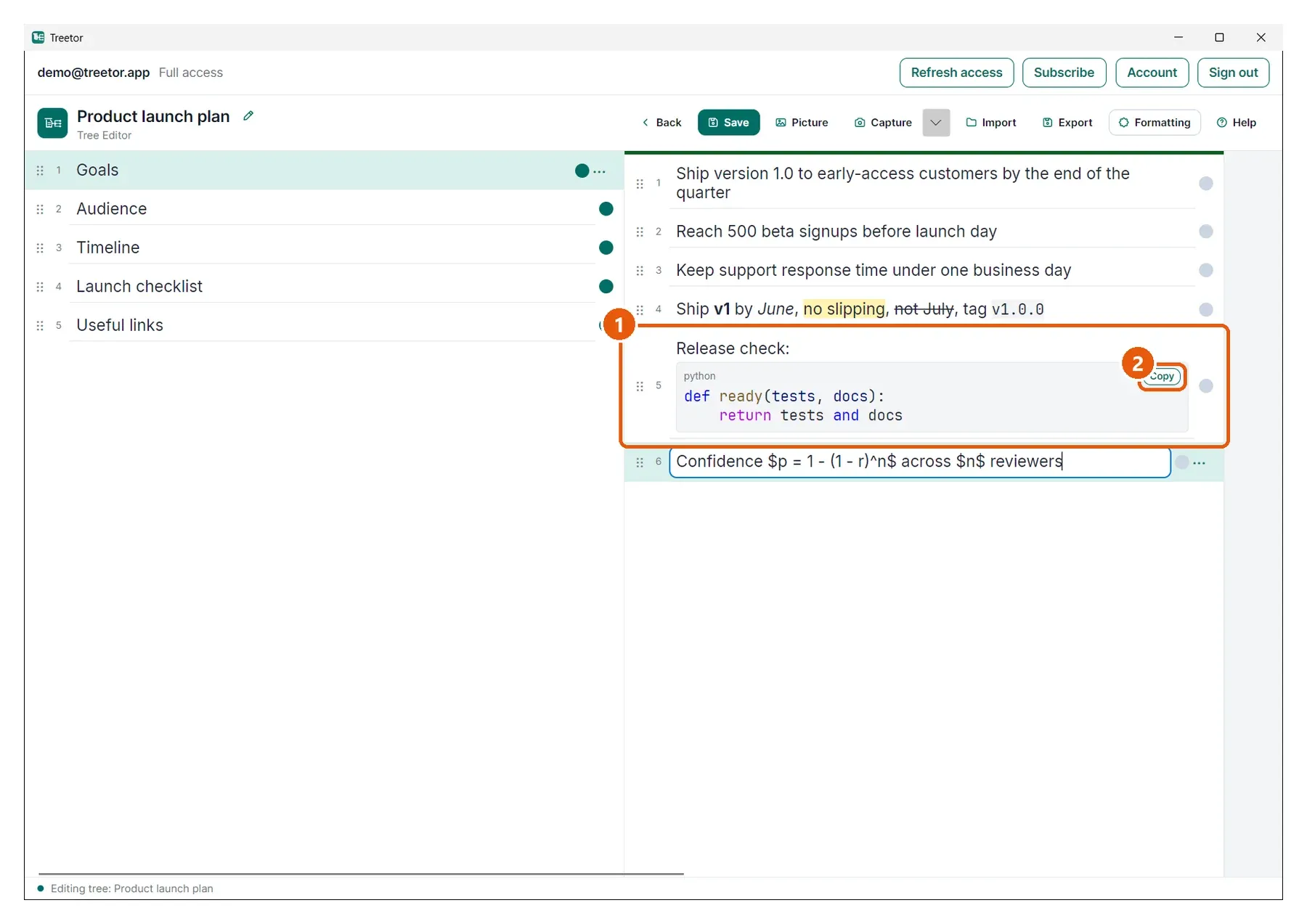
- The block — the language sits in the corner and the code keeps every space.
- Copy — copies the code exactly as typed, fence markers excluded.
Math
Write LaTeX between single dollar signs for inline math, or between double dollar signs on their own lines for a display block. Ordinary prices such as $5 and $10 are left alone: math only starts at a dollar that follows a space or punctuation and ends at one that precedes a space or punctuation.
- $x^2 + y^2$ — inline
- $$ on a line, the formula, then $$ on a line — display
- A formula that cannot be parsed is shown as its source with a red underline
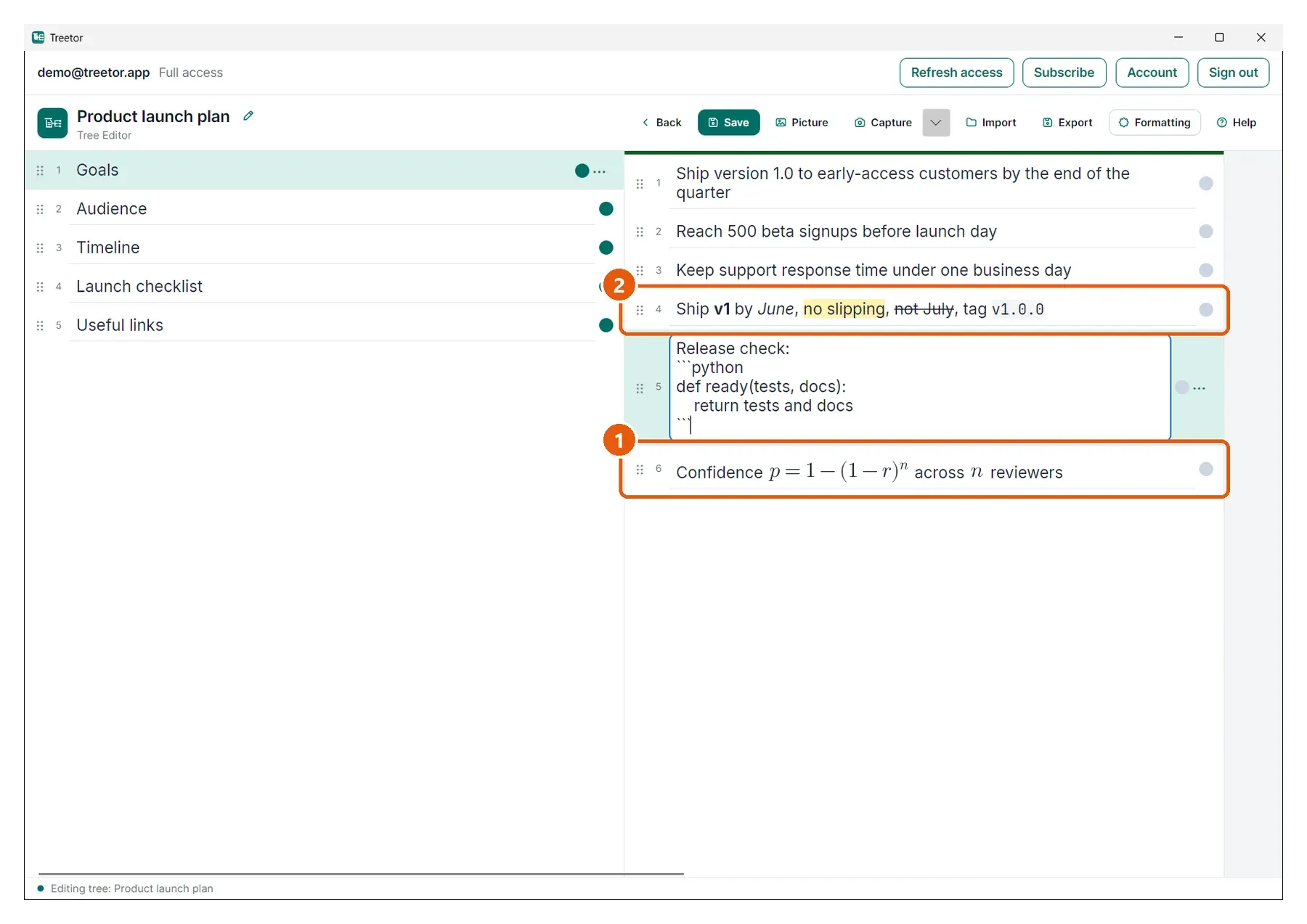
- Inline math — the formula sits on the line with the words around it.
- Marked text — ==no slipping== renders as a highlight.
Turn rendering off for a tree
Open Formatting in the editor toolbar and clear Render formatting, then Apply. Every item in that tree shows its raw text, which suits trees that use asterisks, backticks or dollar signs literally. The switch is saved with the tree and with the content profile.
Import and export keep the syntax
Importing a Markdown file keeps bold, italic, code, math and fenced blocks exactly as written. Markdown export writes them back verbatim, Word export uses real bold, italic, highlighted and monospace runs, and PDF export draws code in a monospace font with its indentation and colours intact.