
Backup with Treetor Pack (.tpack)
A Treetor Pack is a complete copy of one tree in a single file: every item, every picture with its annotations, and the tree's details. Import it on any computer and the tree comes back exactly as it was.
Export the pack
Select the tree, click Export, choose the Treetor Pack card and a location.
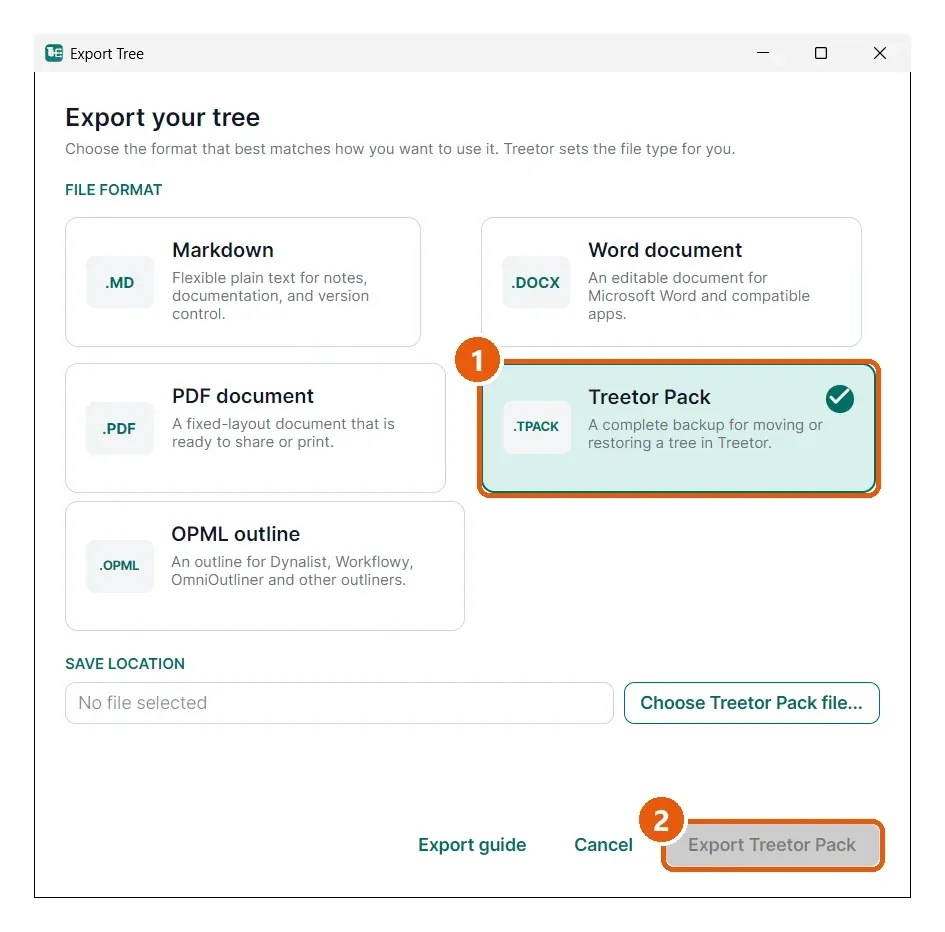
- Treetor Pack — the backup format. Nothing is left out and nothing is flattened.
- Export Treetor Pack — writes one .tpack file.
What is inside
A .tpack is a compressed archive containing the tree's items and structure, the tree title and note, every picture in its original form, and the editable annotations for each picture. Because the annotations are kept, a restored tree can still be re-edited.
When to make one
- Before deleting a large branch (the editor has no Undo).
- Before moving your data folder or reinstalling.
- To hand a tree to a colleague who also uses Treetor.
To restore, use Import in the Tree Library and pick the .tpack file — see Import a tree.