
Free after the Pro trial
When the Pro trial ends, Treetor keeps working as a text-first tree editor. Writing, arranging, searching and Markdown export stay free; only Pro picture tools pause.
What Free looks like in the library
The Tree Library opens as usual. The top bar reads Free, and every local tree-management action remains available.
- Free — the access level after a Pro trial ends without a purchase. Your trees are not placed in read-only mode.
- New Tree, Duplicate, Assign, Import and Delete — keep working on Free.
- Open — open any tree to read, search, write and reorganize it.
- Export — Markdown export stays free, including references to pictures already in the tree.
- Settings — open Account & plan to subscribe, manage billing, open the account portal, or check access again.
Keep writing on Free
Inside a tree you can keep typing, arranging items, following links and viewing existing pictures. Only actions that create or change picture content require Pro.
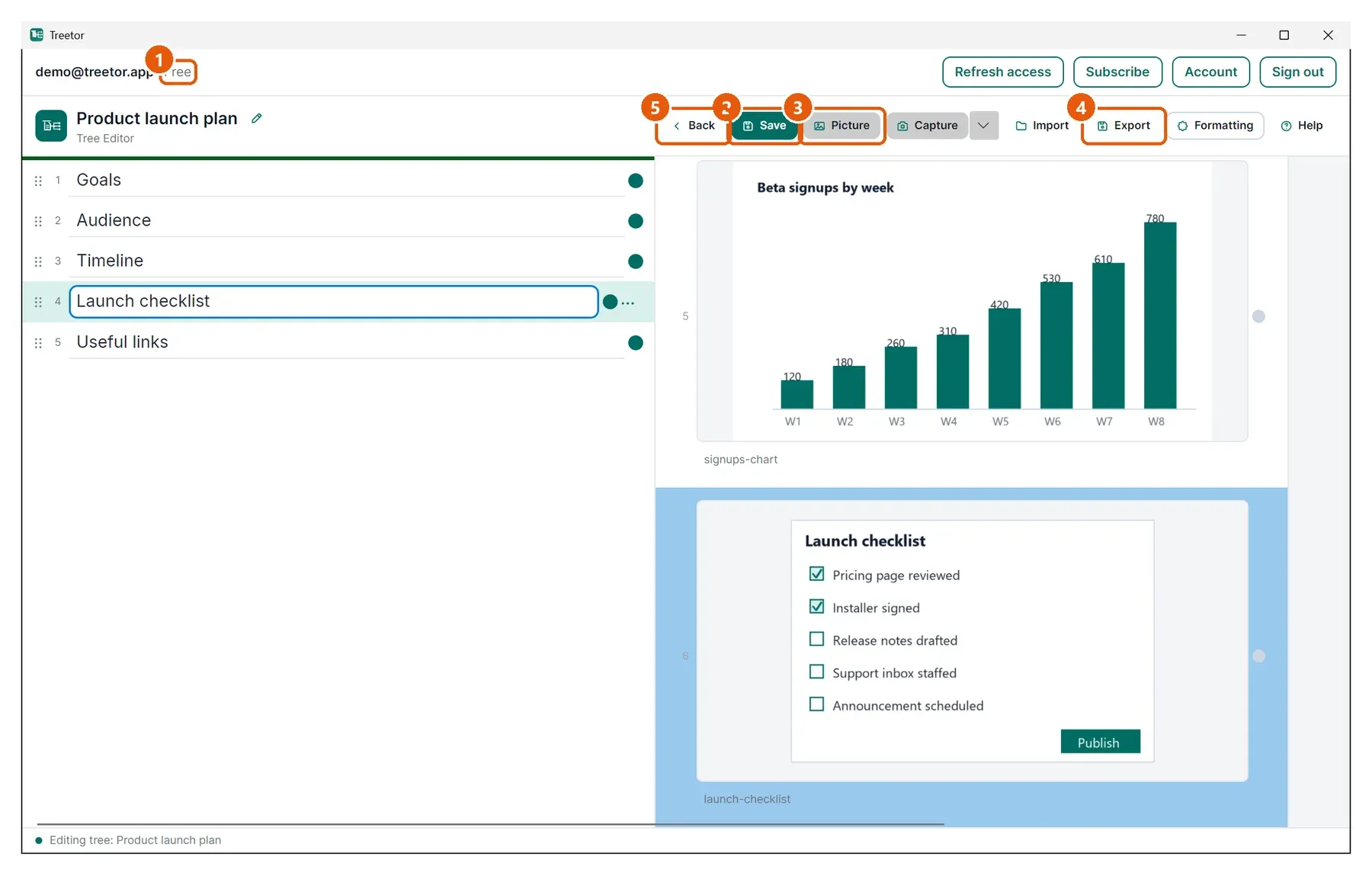
- Access level — reads Free; there is no read-only banner.
- Save — text and tree-structure changes continue to save locally.
- Picture and Capture — adding, replacing, capturing and annotating pictures require Pro.
- Existing pictures — remain visible and exportable, and you can remove them from a tree on Free.
- Back — returns to the library.