
Duplicate, merge, delete
Ctrl+D copies an item with everything under it. Ctrl+Insert folds an item's children into the item above. Ctrl+Delete removes an item — and asks first when children would go with it.
Duplicate an item and its children
Select an item and press Ctrl+D (or choose Duplicate Item and Children from its menu). The copy appears at the end of the column with the same text and a full copy of everything underneath.
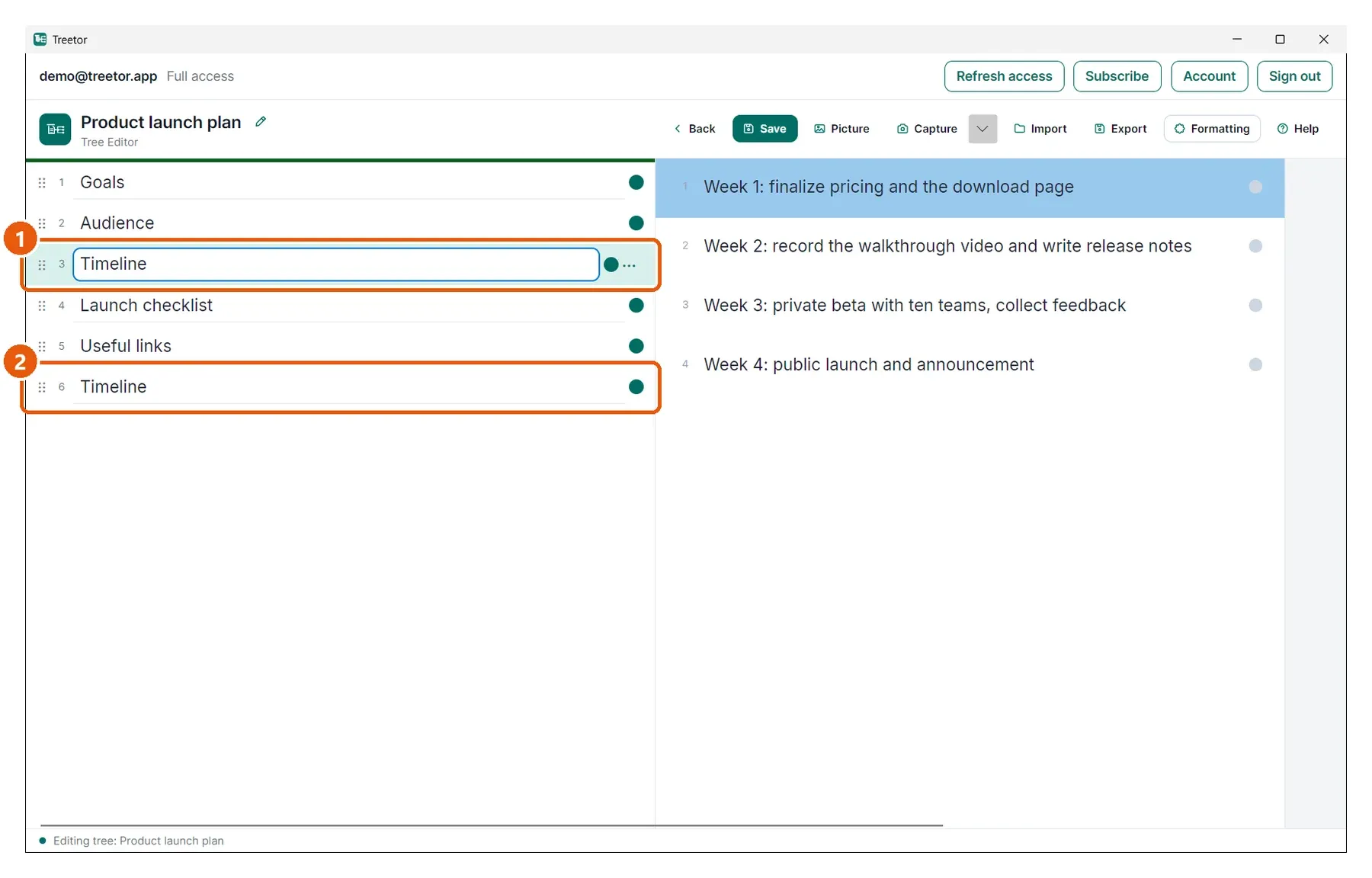
- Original — unchanged.
- Copy — same text, same children. Rename it or move it with the Arrange commands.
Delete asks when children are involved
Ctrl+Delete removes a leaf immediately. If the item has children, Treetor shows how many and asks first — there is no undo in the editor.
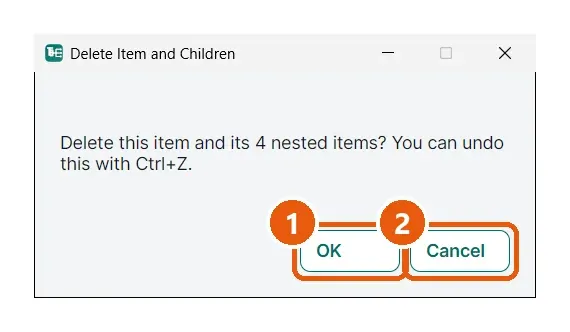
- OK — deletes the item and every item underneath it.
- Cancel — keeps everything.
Merge into the item above
Ctrl+Insert (or Arrange › Merge into Item Above) moves this item's children to the end of the item above it, then removes the now-empty item. Use it to collapse an accidental extra level: the children survive, only the wrapper goes.