
Anatomy of an item
Every row in a Treetor column is an item, and every item has the same five parts: a grip, a number, the text, a state dot and an actions button. Learn them once and every guide after this reads faster.
The parts of an item
The selected row shows everything; unselected rows hide the actions button until you select them.
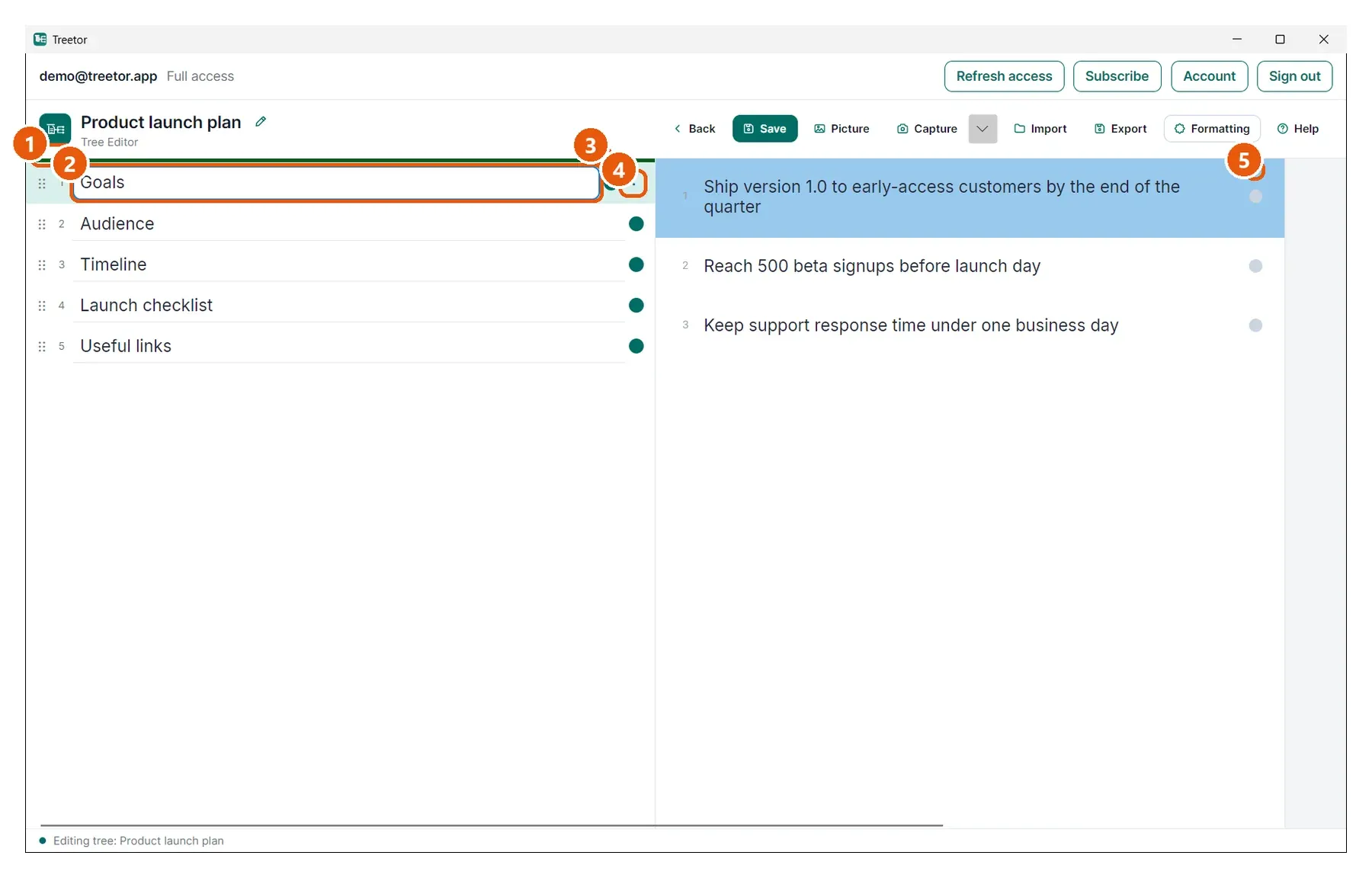
- Grip and number — the dotted grip (⋮⋮) is where you drag the item; the number is its position in the column.
- Text — the item's text. Click to edit; Enter adds a line inside the item.
- State dot — teal: the item has children. Gray: it is a leaf with nothing underneath.
- Actions — the ⋯ button opens the item menu (the same menu as right-click).
- A leaf — in the preview column, the gray dot marks items with no children.