One active branch
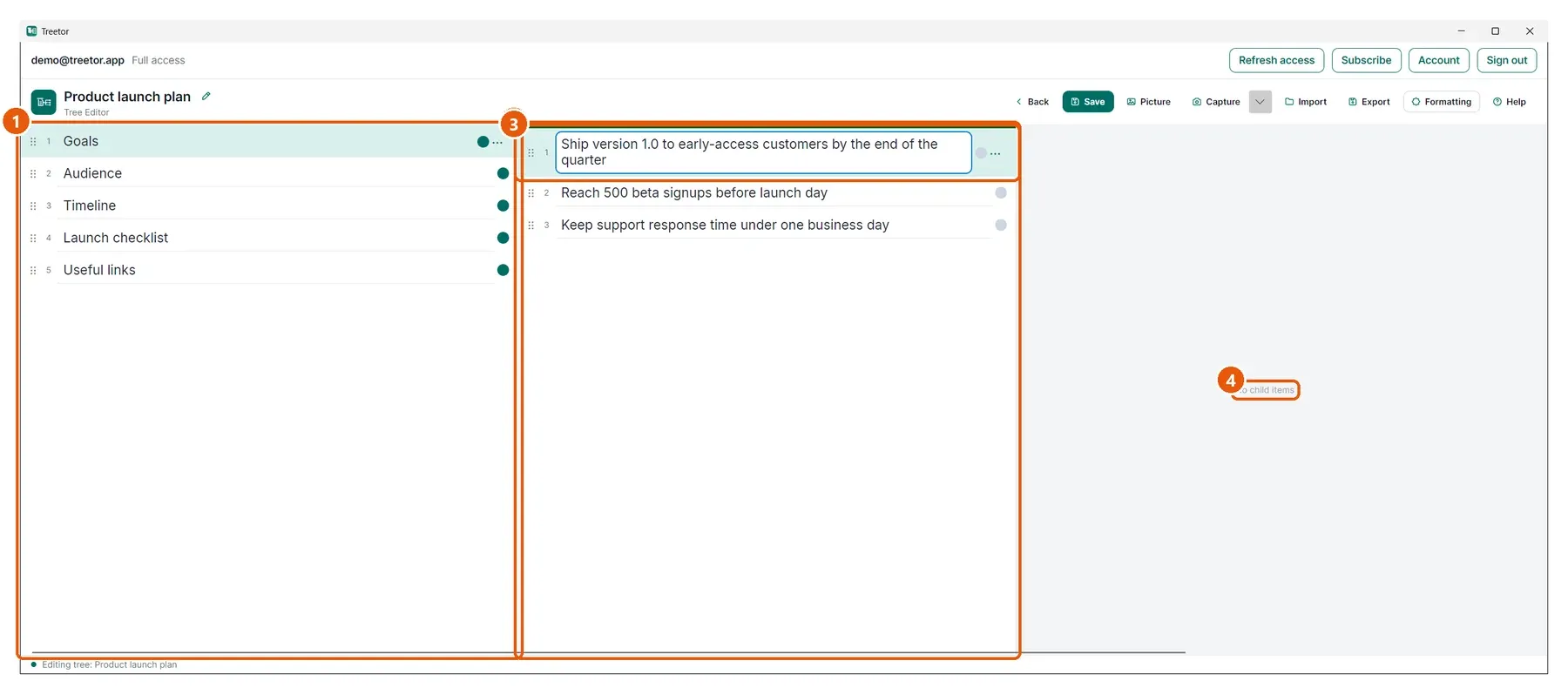
A green bar marks the column that receives your typing and your shortcuts. Exactly one column is active at a time, so there is never a question of where your keystrokes are going.
 TreetorView pricing
Single-Branch Focus
Large outlines overwhelm because everything competes for attention at once. Treetor shows one column per level and gives your typing to a single active branch, so you can go deep without losing track of where you are.
Built for people searching for single-branch focus, focused branch navigation, progressive tree view, one branch at a time, focus on one branch, and better ways to organize complex ideas.
Why it works
A green bar marks the column that receives your typing and your shortcuts. Exactly one column is active at a time, so there is never a question of where your keystrokes are going.
The column you came from sits to the left and stays live. Click any row in it to jump back and carry on from there.
The column to the right shows the children of whatever you have selected, so you can see one level deeper without moving.
Structured knowledge
Your ideas may form a large and deeply nested tree, but at any given moment you are considering one subject, one group of related items, or one decision. Treetor aligns the editor with that: it shows the immediate area you are working in, keeps the level that gives it meaning beside it, and leaves unrelated branches out of the way.
In a continuously expanding outline, every new level makes the screen busier. In Treetor a deeper tree simply means another column, and the column you are working in always stays in view. A larger tree becomes more useful rather than more intimidating.
Where Treetor fits
| Compared with | What Treetor gives you |
|---|---|
| Fully expanded outlines | One column per level, so unrelated branches never crowd the screen. |
| Collapse-and-expand cycles | Move deeper with Ctrl+Right instead of managing disclosure triangles. |
| Focus modes you switch on | Focused navigation is simply how the editor works, not a mode to remember. |
Screenshot-backed guide
The user guide is built from the product itself, with annotated screenshots for the exact features that make Treetor different.
FAQ
Single-Branch Focus is Treetor's way of presenting a large tree as a sequence of connected levels. Treetor shows one column per level, gives your typing to a single active column, keeps the level you came from beside it, and previews the next level to its right.
No. Every level you have opened stays in the editor as its own column. The strip of columns scrolls sideways when a tree is deeper than the window is wide, and the column you are working in always stays in view.
No. It is how the Treetor editor works by default. There is no mode to enable, and no separate command to isolate a branch before you start working in it.
Try the complete desktop app
Free for 30 days — no card required. Available for Windows, macOS, and Linux.