Collect
Capture notes, links, imported Markdown, pictures, and screen evidence.
 TreetorView pricing
Knowledge organization tool
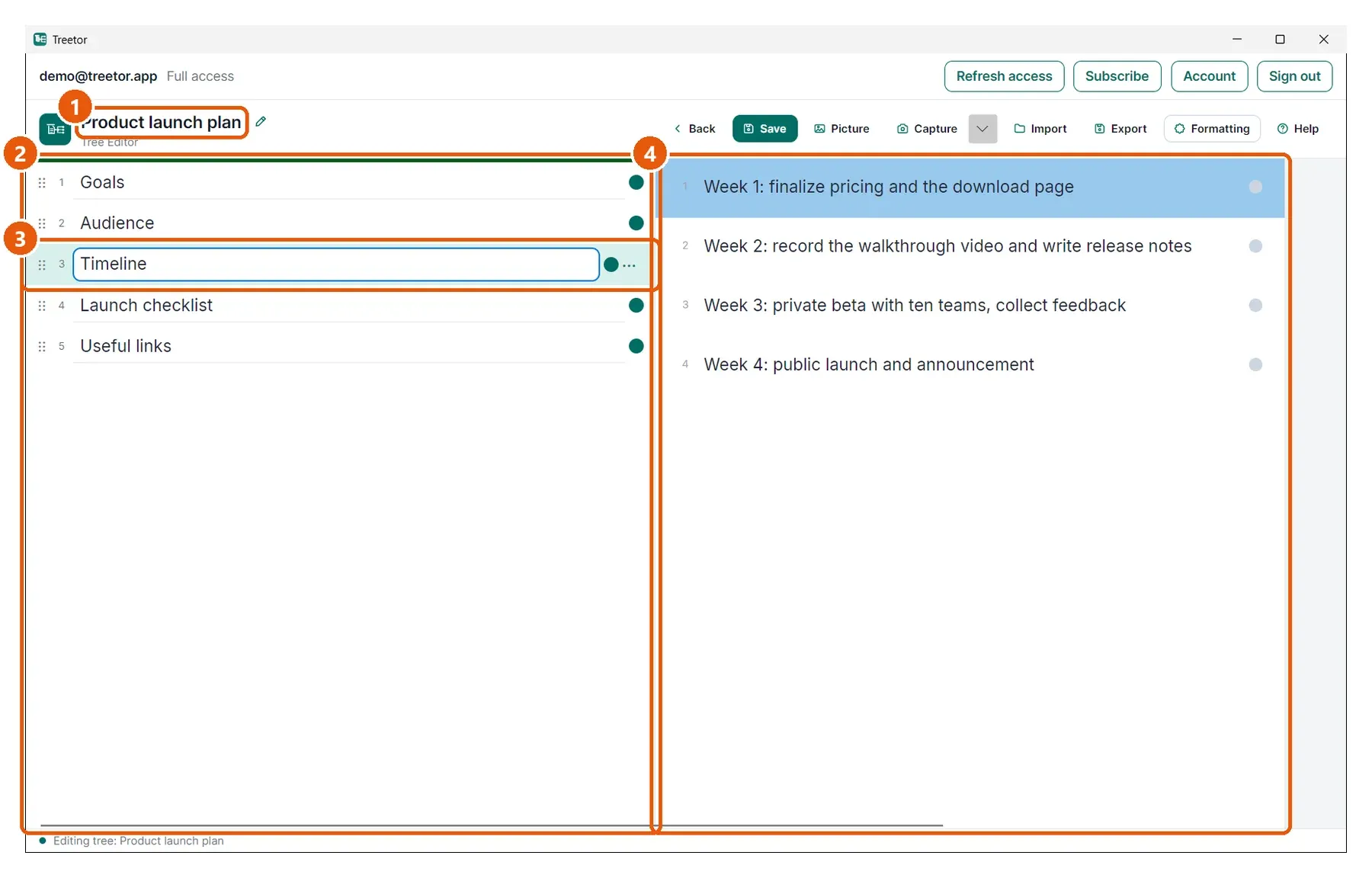
Use Treetor to collect information, group it into branches, attach the visual evidence, and revise the hierarchy as your understanding gets sharper.
Built for people searching for knowledge organization tool, organize complex ideas, knowledge management hierarchy, structured knowledge, research organization, and better ways to organize complex ideas.
Why it works
Capture notes, links, imported Markdown, pictures, and screen evidence.
Group related items into branches that express how the knowledge fits together.
Rearrange the hierarchy as decisions, categories, and conclusions become clearer.
Structured knowledge
Knowledge work is iterative. Treetor lets you start rough, then keep reorganizing the tree until the structure explains the subject.
Use the same tree to prepare procedures, training material, handoffs, specs, research summaries, or decision records.
Where Treetor fits
| Compared with | What Treetor gives you |
|---|---|
| Tag-only systems | Hierarchy shows the relationships, not only labels. |
| Document dumps | Branches give readers a route through complexity. |
| Whiteboards | Exportable text and captured evidence remain part of the same workspace. |
Screenshot-backed guide
The user guide is built from the product itself, with annotated screenshots for the exact features that make Treetor different.
FAQ
Treetor organizes information into a hierarchy of trees, branches, and items, then lets users rearrange that hierarchy as their understanding evolves.
Yes. Treetor can hold research notes, screenshots, source images, outlines, conclusions, and exports in one structured workspace.
Treetor can be used as a local-first knowledge organization workspace and can export content for use in other knowledge-base or document tools.
Try the complete desktop app
Free for 30 days — no card required. Available for Windows, macOS, and Linux.